Need help?
Do you have a question about the Siedle BFS 850-02 and is the answer not in the manual?
How to answer a door call by pressing the speech button within 45 seconds after the last ring.
How to end an active call by briefly pressing the speech button again.
Automatic one-way speech transmission and manual override via the speech button.
Setting the speech volume during a call using the '+' or '-' buttons on the speech button.
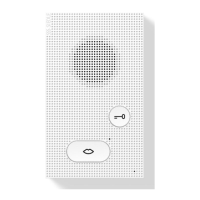
Opening the door release for 3 seconds by pressing the door release button.
Activating the light function via the light button, if connected by installer.
Toggling ringing tones on/off with the muting button; red light indicates mute is active.
Establishing a speech connection to the last called door station using the light button.
Adjusting ring tone volume in five stages and saving the setting.
Choosing from 11 melodies and switching to the next melody using speech buttons.
Cleaning the phone with a soft, damp cloth and mild soap solution.
Service and exchange procedures must be performed by an electrical installer.
 General
| Brand | Siedle |
|---|---|
| Model | BFS 850-02 |
| Category | Intercom System |
| Language | English |


 To Next Page