Need help?
Do you have a question about the Siedle SET CVSG 850-1 and is the answer not in the manual?
Describes the Smart Gateway starter kit's purpose for door calls with video on smartphones and door opening.
Details components for extending the starter kit, including user limits and station support.
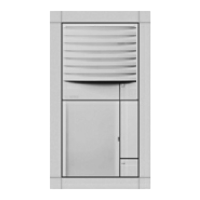
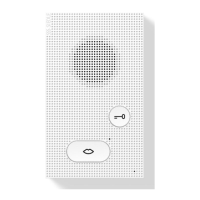
Integrated camera, LED lighting, heating, loudspeaker, adjustable volume, call buttons, and backlit nameplates.
App support, IP user support, group calls, parallel calls, direct dialing, and central video memory.
Enables door calls, mobile network connection, worldwide accessibility, and secure app operation.
Provides bus addresses, door release/light contact, and programming options via specific software.
Mandatory electrician work, altitude operation limits, building installation safety, and cable ferrule use.
Caution against direct contact with circuit boards due to potential destruction from electrostatic discharge.
Avoidance of direct backlight, sunlight, bright backgrounds, and reflective walls for video systems.
Instructions for surface mounting the door station, including housing attachment and cable connection.
Guidance on mounting devices onto the top hat rail within a distribution cabinet.
Instructions for opening and replacing nameplates on the device.
Connect components according to the relevant circuit diagram, noting separate cable laying for camera and monitor.
Details on maximum cable lengths for In-Home bus and door station connections based on core diameter.
Technical details including color system, image sensor, resolution, lens, pick-up angle, and mechanical adjustment.
Technical data including operating voltage, current, protection system, ambient temperature, and dimensions.
Technical data including operating voltage, current, output voltage/current, fusing, and dimensions.
Technical data including operating voltage, current, output voltage/current, fusing, and contact types.
Wiring details for BCV 850-1, SG 150, ANG 600, and SNG 850 components.
Description of LED indicators for Link, In-Home, Status, Reset, and Prog. functions.
Explanation of LED 1 and LED 2 displays for 'Operation' and 'Fault' modes.
Step-by-step guide to activate programming mode, assign call buttons, and end the programming process.
Conditions required for commissioning, including system setup, programming, network connection, and IP address.
Steps to commission the Siedle app for a single user, including login, user creation, and QR code scanning.
Procedure to commission multiple app users and group them, including user and group creation.
 General
| Brand | Siedle |
|---|---|
| Model | SET CVSG 850-1 |
| Category | Intercom System |
| Language | English |


 To Next Page