
 Need help?
Do you have a question about the Siemens ACUSON Antares and is the answer not in the manual?
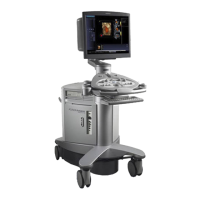
Overview and technical description of the ultrasound system and its components.
Procedures for acquiring and optimizing images, measurements, and calculations.
Explains the meaning of WARNING, CAUTION, and NOTE indicators used in the manual.
Explains how controls and keys on the control panel and keyboard are identified.
Defines on-screen elements and how to select them using the trackball and SELECT key.
General overview of the diagnostic ultrasound imaging system, including its design.
Details on system voltage availability and language formats for software.
Information on transducer technology and the number of connectable array transducers.
Lists the applications supported by the Antares ultrasound system.
Describes the available imaging modes: 2D, M-mode, Doppler, and Power.
Explains the layout of the monitor screen and its various components and task cards.
Describes the screen saver feature and how to configure its activation period.
Provides an example of a typical image screen with explanations of its components.
Describes the Image task card and its associated controls and functions.
Information on supported documentation devices and their configurations.
Explains how patient data is saved, copied, and managed within the system.
Details the measurement functions and report generation capabilities of the system.
Explains how system presets allow customization of features and settings.
Describes the feature for capturing optimized imaging parameter settings for specific exams.
Information on safe operation concerning the environment and system usage.
Explains the meaning of various symbols found on the system and transducers.
Shows the location of system warning, identification, and certification labels.
Important warnings and precautions regarding biohazards and ultrasound energy.
Explains mechanical and thermal indices and their display during real-time imaging.
Details how to adjust transmit power and its effect on acoustic output.
Lists imaging functions that can affect the system's acoustic output.
Provides maximum surface temperatures for compatible transducers.
Important warnings and precautions for ensuring electrical safety when using the system.
Explains system and transducer protection classifications against electrical shock.
Guidelines for safely combining other equipment with the ultrasound system.
Important information and procedures to ensure the integrity of stored patient data.
Steps to perform each day before using the ultrasound system for safe operation.
Information on required system maintenance, electrical tests, and repair contacts.
Detailed instructions for handling, replacement, and disposal of the battery pack.
Procedures for replacing the battery pack when it no longer holds a charge.
Describes the physical location of the battery pack within the ultrasound system.
Step-by-step instructions for safely removing and installing the battery pack.
Guidelines and precautions for the proper disposal and recycling of battery packs.
Instructions for cleaning the exterior surfaces of the ultrasound system.
Procedures for cleaning transducer holders, coupling gel holders, and the trackball.
Steps for cleaning the removable and washable air filters for system cooling.
Important warnings and recommendations for handling and caring for transducers.
Procedures and warnings related to cleaning and disinfecting transducers.
Illustrates and explains the immersion levels for different transducer types.
Provides a matrix of approved disinfectants for use with all transducers.
Instructions for sterilizing specific transducers, such as the VF13-5SP.
Instructions for accessories like transducer sheaths and gel pads.
Information on needle guide bracket kits, including warnings and storage conditions.
Instructions for cleaning, disinfecting, and sterilizing transducer accessories.
Overview of the control panel and its design for quick learning and recognition.
Explains the four mode controls (2D, D, C, M) for activating modes and features.
Describes the trackball's use for navigating on-screen objects and making selections.
Using controls for archiving data and freezing/resuming images.
Controls for reviewing stored data, VCR operation, and capturing clips.
Using PRINT/STORE keys and controls for adjusting image depth and focus.
Controls for changing image magnification and navigating on-screen menus.
Mode-dependent controls (UNIVERSAL 1/2) and other system controls.
Overview of the keyboard, function keys, and shortcuts for efficient operation.
Keys for text entry, annotation cursor, arrows, and screen clearing.
Keys for text editing (Backspace, Caps Lock) and navigation (Enter, Tab).
Using footswitch for function activation and understanding task card workflow.
Detailed parameters and settings for 2D-mode, M-mode, Color, Power, and Doppler.
Organization of selections in drop-down menus and group boxes.
Display options for 2D, SieScape, 3-Scape, and fourSight imaging features.
Drop-down menus for determining update style of 2D image and Doppler spectrum.
Controls and indicators for SieScape and 3-Scape image acquisition.
Parameter menu selections for fourSight imaging acquisition and retrieved volumes.
Using the Calcs task card for measurements and available measurement tools.
Reviewing stored images and managing them using selection and management tools.
Editing acquired data with options for SieScape and Color SieScape images.
General and mode-specific selections for 3-Scape data, including format and reset.
Information on unpacking, installation, and daily checks for system operation.
Provides an overview and identification of the ultrasound system's components.
Instructions and precautions for safely moving the system, including brake usage.
Steps for plugging in the system, powering it on, and placing it in standby.
How to adjust monitor controls, perform self-tests, and degauss the display.
Procedures for connecting and disconnecting transducers and managing cables.
Details connections for footswitch, Physio cables, and front system panel ports.
Describes the audio, video, and data transmission connections on the I/O panel.
Guidelines for connecting peripheral equipment to the ultrasound system.
Information on installing and configuring on-board vs. off-board documentation devices.
Adjustments for monitor, keyboard, and overall system height for user comfort.
Designating PRINT/STORE keys, choosing output format, and setting print options.
Selecting output formats for printed and stored images, including secondary capture.
Using system presets to select patient name and parameter values for display.
Configuring storage to destinations other than the local database.
Configuring print preferences like paper/film size, layout, and timing.
Configuring printer properties through Windows Properties dialog box.
Optimizing the Sony UP-D23 MD printer for high quality or high speed printing.
Form to search, register, or pre-register patients for examinations.
Explains the sections and fields for entering patient data, history, and exam details.
Actions performed during an examination, such as correcting data and optimizing images.
Selecting the study type and transducer for the examination.
Changing imaging modes and adjusting parameters for optimal image quality.
Printing, storing images, and acquiring/viewing clips during an active study.
Activating measurement function and accessing, printing, or storing patient reports.
Procedures for ending the current examination (study).
Overview of standard features like operator control panel, software, and processing power.
Specifications for the monitor, system mobility, and transducer technology.
Describes single/mixed modes, formats, and general 2D imaging features.
Details capabilities for Pulsed Wave, Color, and Power Doppler imaging.
Features for M-mode operation and Ensemble Tissue Harmonic Imaging.
Describes clip capture and post-processing options in freeze frame or CINE.
Lists optional features like Mobile QuikStart, Extend Performance, and Clarify VE.
Details SieScape, Color SieScape, and SieClear Multi-View Spatial Compounding.
Information on TEQ, 3-Scape Real-Time 3D, and fourSight 4D Imaging technologies.
Optional feature using wide-band, harmonic imaging for contrast agents.
Lists standard mainframe components and available system options.
Details general measurement functions and specific measurements for 2D, M-mode, Doppler.
Specific measurements available for Abdominal, Small Parts, Gynecology, OB, Pediatric, Urology, Vascular.
Describes the variability in accuracy for clinical measurements.
Tables showing measurement ranges, formulas, and accuracy values.
Details TV standards, monitor specs, gray scale, color, polarity, orientation, and formats.
Power and environmental requirements for the Antares ultrasound system.
Guidelines for approved peripheral devices and safety standards compliance.
Potential leakage currents and details on audio, video, and data transmission ports.
Operational conditions, explosion protection, and physical dimensions.
Classifications for electrical shock protection, water ingress, anesthetic presence, and operation mode.
Lists compliance with quality, design, acoustic output standards, and CE Declaration.
 General
| Brand | Siemens |
|---|---|
| Model | ACUSON Antares |
| Category | All in One Printer |
| Language | English |

 To Next Page