Siemens AG 2003, C:\Daten\Siemens\Produkte\C65\output\FUG\C65_fug_en_040615_rs_pk_druck\C65_Camera.fm
Camera42
VAR Language: en; VAR issue date: 040517
left page (42) of C65 Hera en, A31008-H7800-A1-1-7619 (15.06.2004, 08:19)
Camera
You can view photos/videos
recorded on the integrated camera
immediately and
• use the photo as a background
image, logo, a switch on/off
animation or a screensaver.
• send the photo via MMS.
Switch on
C¢
R
Or
D
Start camera in standby
mode.
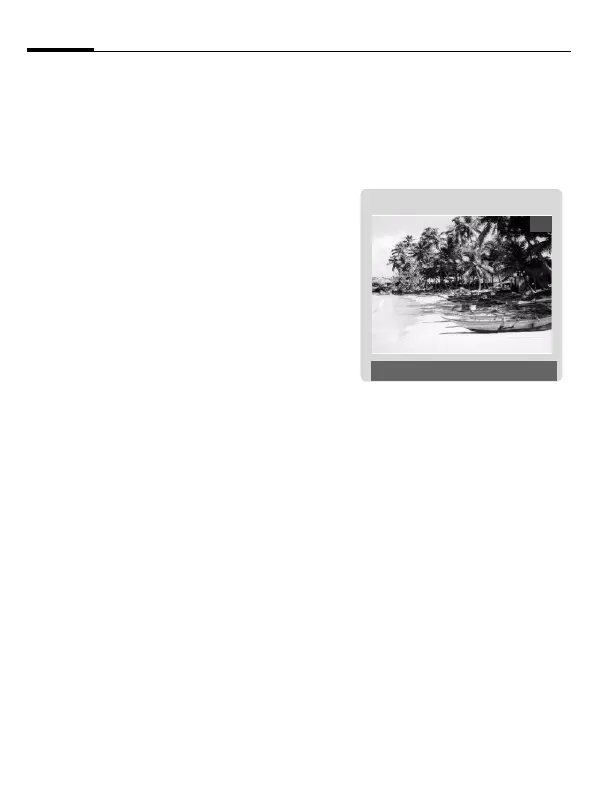
The current (preview) image is dis-
played. You will see the following in
the first line from left to right:
Ù Brightness
Ú Zoom factor
Û White balance
× Flash connected.
The number of photos that can still
be taken in the selected resolution is
displayed in the top right-hand cor-
ner of the preview image. As the
memory requirement depends
essentially on the subject photo-
graphed and the resolution, the
number of photos that are still possi-
ble can sometimes change unex-
pectedly. Information about the
selected resolution is located under
the preview image.
Record
C Takes a photo.
C
Displays the preview
image of the next photo.
The photo is saved with a name, the
date and the time. To enter the
name see Setup in the options menu.
Settings prior to taking a photo:
F
Sets the brightness.
I
Sets the zoom factor.
24
ÙÚÛ ×
Photo
î Options


 To Next Page