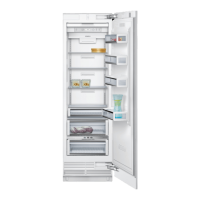
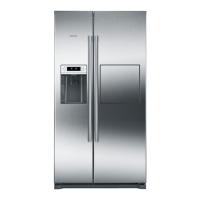
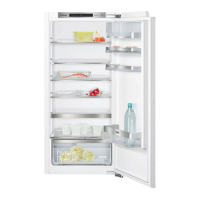
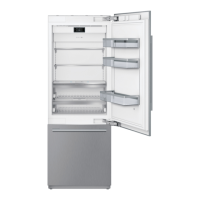
This document describes a Siemens fridge-freezer, available in 2-door (CI30BP02) and 3-door (CI36TP02) configurations, designed for cooling and freezing food and making ice in a home environment. It is intended for use at heights up to 2000 meters above sea level.
Function Description
The fridge-freezer operates by maintaining specific temperatures in its refrigerator and freezer compartments. The refrigerator compartment is suitable for storing meat, sausages, fish, dairy products, eggs, ready meals, and pastries, with a temperature range of +2°C to +8°C. Lower temperatures within this range slow down enzymatic and chemical processes, ensuring optimum freshness and safety for perishable foods. The freezer compartment, with a temperature range of -24°C to -14°C, is designed for storing frozen food, making ice cubes, and freezing fresh food for extended periods without significant quality reduction. The NoFrost system in the freezer compartment prevents ice build-up, eliminating the need for manual defrosting.
The appliance is Wi-Fi-capable, allowing for remote control via a mobile device through the Home Connect app. This connectivity enables users to monitor and manage the appliance's functions even when away from home.
Usage Features
Controls and Modes:
The appliance features a control panel with temperature displays for both refrigerator and freezer compartments, indicating settings in °C/°F. A main menu, accessed via a button, offers various operating modes and settings.
- Mode Selection: Tapping on a mode activates it, displaying a corresponding symbol on the control panel and an information text explaining the function.
- Eco Mode: Switches the appliance to an energy-saving operation, automatically setting the refrigerator to +6°C and the freezer to -16°C.
- Holiday Mode: Designed for long periods of absence, this mode saves energy. The refrigerator compartment is set to +14°C, the freezer temperature remains unchanged, and ice cube production is deactivated. No food should be stored in the refrigerator compartment during this mode.
- Sabbath Mode: Disables all non-essential functions for a selected period (1 to 96 hours), allowing the appliance to be used on the Sabbath. This mode switches off the ice maker, audible signals, interior lighting, display messages, and reduces background illumination.
- Super Cooling: Rapidly cools the refrigerator compartment to its coldest possible setting, useful before placing large quantities of food or for quickly cooling beverages. This mode automatically switches back to normal operation after approximately 6 hours.
- Super Freezing: Rapidly cools the freezer compartment to its coldest possible setting, ideal for quickly freezing food through to the center, especially 4-6 hours before inserting 2 kg or more of food. This mode automatically switches back to normal operation after approximately 2.5 days.
- Condensation Protection (3-door appliances only): A heater in the door pillar prevents condensation between the doors. This function can be switched on or off via the settings menu.
Storage Features:
The appliance includes various storage solutions designed for optimal food preservation.
- Storage Compartments and Shelves: These are removable and height-adjustable, allowing for flexible organization.
- Vegetable Container with Humidity Controller: This container is ideal for fresh fruit and vegetables. The humidity can be adjusted (lower for mainly fruit or large loads, higher for mainly vegetables or mixed/small loads) to extend freshness.
- Cold Storage Compartment: Maintains temperatures lower than the main refrigerator compartment (potentially below 0°C), making it ideal for storing fish, meat, and sausage. It is not suitable for cold-sensitive foods like lettuce or certain vegetables.
- Ice Maker: Automatically produces ice cubes once the appliance reaches the set temperature. Production stops when the ice cube container is full. The first 30-40 ice cubes should be discarded for hygiene reasons.
- Ice Pack: In case of a power failure, the ice pack helps delay the warming of stored frozen food. For maximum effectiveness, it should be placed on food in the top compartment.
Alarms:
The appliance is equipped with alarms to alert users to potential issues.
- Door Alarm: Activates if a door is left open for an extended period, displaying a message on the control panel.
- Temperature Alarm: Activates if the freezer compartment becomes too warm, displaying the warmest temperature reached. This alarm may also trigger when the appliance is first put into service, when large quantities of fresh food are added, or if the freezer door has been open too long.
Home Connect:
The Home Connect feature allows the appliance to be controlled remotely via a mobile device.
- Setup: Involves installing the Home Connect app, connecting the refrigerator to the home Wi-Fi network (either automatically via WPS or manually), and then connecting the refrigerator to the app.
- Signal Strength: The control panel displays Wi-Fi signal strength, with at least 1 bar recommended for stable connection.
- Updates: The appliance regularly checks for Home Connect software updates, with notifications appearing on the control panel for installation.
- Customer Service Access: Users can grant Customer Service remote access to the appliance's status for diagnostics and support.
- Restoring Settings: Home Connect settings can be reset if connection issues arise or if the appliance needs to be registered with a different Wi-Fi network.
Maintenance Features
Cleaning:
Regular cleaning is essential for maintaining the appliance's performance and hygiene.
- Appliance Interior: Should be cleaned with a soft cloth, lukewarm water, and a pH-neutral washing-up liquid after unplugging the appliance and removing food. Care must be taken to prevent rinsing water from entering the light or drainage hole. The door seal should be wiped with clean water and dried thoroughly.
- Equipment: Variable parts like shelves and containers can be removed for cleaning.
- Display: Can be cleaned with a clean micro-fiber cloth to remove steam or smudges.
- Stainless Steel Surfaces: Should be cleaned using cleaning agents and cloths specifically designed for stainless steel, cleaning in the direction of the grain to prevent scratches.
- Ventilation Openings: Should be vacuumed once a year to ensure proper air circulation and energy efficiency.
Odour Management:
If unpleasant odours occur, a systematic cleaning process is recommended.
- Troubleshooting: Involves unplugging the appliance, removing all food, cleaning the interior and all food packages, sealing strong-smelling foods, and then restarting the appliance.
- Odour Filter: The appliance includes an odour filter that can be changed if odours persist after cleaning. Replacement filters are available from Customer Service.
Water Filter Maintenance (if applicable):
The appliance may use a filter cartridge with bypass or a water filter.
- Filter Cartridge with Bypass: This cartridge filters large particles from drinking water and can be kept in the appliance permanently without needing replacement. However, it is recommended to clean it once a year by disassembling and rinsing under running water.
- Water Filter: If a water filter is used (replacing the bypass cartridge), it must be changed regularly. After installation or replacement of any filter, the first 5 glasses of water should be dispensed and discarded. The water filter counter in the settings menu should be activated when using a water filter.
Lighting:
The appliance is equipped with a maintenance-free LED light. Any repairs to the light should only be performed by Customer Service or authorized technicians.
Self-Test Program:
The appliance features a self-test program that can diagnose faults, which can then be communicated to Customer Service for rectification. This program is accessed through the settings menu.

 Need help?
 General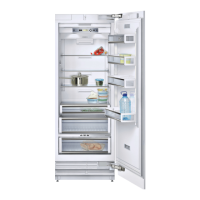


 To Next Page