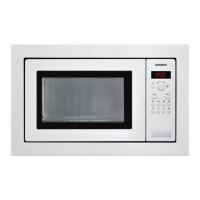
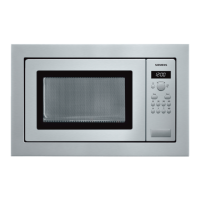
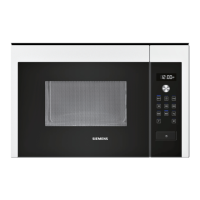
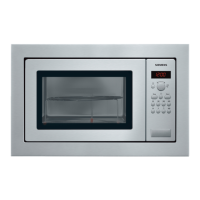
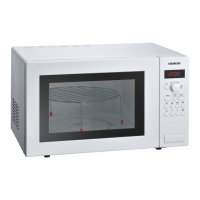
This document describes the Siemens HF24M564W microwave oven, an appliance designed for domestic use, specifically for heating and cooking food and beverages. It is intended for full integration into a kitchen.
Function Description
The Siemens HF24M564W is a microwave oven that converts microwave energy into heat within foodstuffs. It offers various power settings and automatic programs for defrosting, heating, and cooking.
Microwave Function:
The core function is microwave cooking, with power settings ranging from 90 W to 900 W.
- 90 W: Suitable for defrosting delicate foods.
- 180 W: Used for defrosting and continued cooking.
- 360 W: Ideal for cooking meat and heating delicate foods.
- 600 W: For heating and cooking food.
- 900 W: Best for heating liquids.
The appliance allows for setting cooking times up to 30 minutes at 900 W, and up to 1 hour at 600 W and other power settings for up to 1 hour and 39 minutes.
Automatic Programmes:
The microwave features 7 automatic programmes (P01-P07) for effortless defrosting and cooking. These programmes automatically set optimal microwave power and time based on the food type and weight entered by the user.
- Defrosting Programmes (P01-P04): Designed for minced meat, pieces of meat, chicken/chicken pieces, and bread. Users input the weight of the food, and the appliance calculates the optimal defrosting time.
- Cooking Programmes (P05-P07): For cooking rice, potatoes, and vegetables. Users input the weight of the food, and the appliance sets the appropriate cooking parameters.
Memory Function:
The appliance includes a memory function to save frequently used settings for a specific dish. This allows for quick recall and initiation of cooking without re-entering parameters. It can save one microwave power setting at a time, but not multiple consecutive settings or automatic programmes.
Cooling Fan:
A cooling fan is integrated into the appliance to maintain a cool cooking compartment during microwave operation and continues to run for a period after the microwave is switched off. Condensation on the door window, interior walls, and floor is normal and does not affect microwave operation.
Important Technical Specifications
- Input Voltage: AC 220 V, 50 Hz
- Power Consumption: 1450 W
- Maximum Output Power: 900 W
- Microwave Frequency: 2450 MHz
- Fuse: 10 A
- Dimensions (HxWxD):
- Appliance: 382 mm x 594 mm x 388 mm
- Cooking Compartment: 208 mm x 328 mm x 369 mm
- Certifications: VDE approved, CE mark.
- Classification: Group 2, Class B product (microwaves produced for heating food, suitable for private households).
Usage Features
Setting the Clock:
Upon initial connection or after a power cut, the display shows three zeros. The clock can be set by pressing the clock button, adjusting the time with the rotary selector, and confirming. The clock can also be hidden or reset.
Setting Microwave Power and Time:
- Press the desired microwave power button (e.g., 900 W).
- Use the rotary selector to set the cooking time.
- Press the start button to begin.
Using Automatic Programmes:
- Repeatedly press the "P" button until the desired programme number appears.
- Press the "kg" button.
- Turn the rotary selector to specify the weight of the dish.
- Press the start button to begin.
Pausing and Cancelling Operation:
- Pausing: Press the start/stop button once or open the appliance door. The operation will suspend, and the display indicator will flash. Close the door and press the start button to resume.
- Cancelling: Press the start/stop button twice, or open the door and press the "00" button once.
Changing Signal Duration:
The audible signal duration when the appliance switches off can be adjusted. Press the start button for approximately 6 seconds to change between a short signal (3 tones) and a long signal (30 tones).
Ovenware Guidelines:
- Suitable: Heat-resistant ovenware made of glass, glass ceramic, porcelain, ceramic, or heat-resistant plastic. Serving dishes can also be used. Ovenware with decorative gold or silver trim is only suitable if guaranteed by the manufacturer for microwave use.
- Unsuitable: Metal ovenware, as it blocks microwaves.
- Caution: Metal objects (e.g., spoons) must be kept at least 2 cm from oven walls and the door interior to prevent sparks and damage.
Maintenance Features
Care and Cleaning:
Regular cleaning is essential for maintaining the appliance's appearance and functionality.
- General Cleaning: Unplug the appliance or switch off the circuit breaker. Clean the exterior and cooking compartment with a damp cloth and mild detergent, then dry with a clean cloth.
- Cleaning Agents:
- Hot soapy water: For appliance front, stainless steel front, turntable, and turntable ring, door panels, and seal.
- Vinegar solution: Can be used for the stainless steel cooking compartment.
- Glass cleaner: For door panels.
- Oven cleaner: Only for very dirty stainless steel cooking compartments, and only when cold. Use a stainless-steel sponge.
- Do Not Use: High-pressure or steam cleaners, sharp or abrasive cleaning agents, metal or glass scrapers, hard scouring pads, rough sponges, pan cleaners, or cleaning agents with high alcohol concentrations. These can damage surfaces or cause electric shock.
- Turntable: Ensure it is properly slotted into place after cleaning. Prevent water from seeping into the turntable drive.
Safety Precautions for Cleaning:
- Never clean immediately after switching off; allow the appliance to cool down to avoid burns.
- Do not immerse the appliance in water or clean under a jet of water to prevent electric shock.
Troubleshooting:
The manual provides a troubleshooting table for common issues, such as the appliance not working, the microwave not heating, or unusual noises. It suggests remedies like checking the plug, power supply, circuit breaker, door closure, and cleaning the turntable area. For persistent faults, contacting after-sales service is recommended. Incorrect repairs are dangerous and should only be carried out by trained service engineers.

 Need help?
 General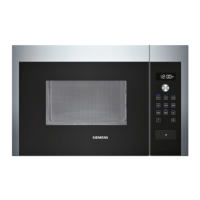

 To Next Page