EasyManua.ls Logo

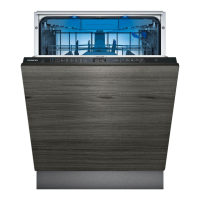
Siemens iQ500 SN85TX00CE - User Manual

Siemens iQ500 SN85TX00CE
2 pages
Print Icon
To Next Page IconTo Next Page
Loading...
9001708624 (020401) SN85TX00CE
*9001708624*
Quick reference guide  Dishwasher
en
Before using for the first time, read the instruction manual and the safety information it contains.
Setting up Home Connect
Tip:Connect your appliance to a mobile device. You can con-
veniently change all settings using the HomeConnect app.
1.
Install the HomeConnect app on your mo-
bile device and follow the instructions.
2.
Scan the QR code with the HomeConnect
app.
Overview of water hardness settings
You can find an overview of the
water hardness values that can
be selected here.
A table of country-specific units
can be found in the instruction
manual.
Hardness
range
mmol/l Setting
value
Soft 0 - 1.1 H:00
Soft 1.2 - 1.4 H:01
Medium 1.5 - 1.8 H:02
Medium 1.9 - 2.1 H:03
Medium 2.2 - 2.9 H:04
Hard 3.0 - 3.7 H:05
Hard 3.8 - 5.4 H:06
Hard 5.5 - 8.9 H:07
Setting the water softening sys-
tem
1.
Press ⁠.
2.
To open the basic settings, press
for 3 seconds.
a The display shows H:xx.
a The display shows ⁠.
3.
Press or repeatedly until the
right water hardness has been set.
4.
To save the settings, press
for 3 seconds.
Adding special salt
To avoid damage to the appliance, only add special
salt to the dispenser for special salt just before the
programme starts.
1.
Unscrew the lid of the dispenser for special salt
and remove.
2.
On initial start-up: Fill the dispenser right up with
water.
3.
Add the special salt to the
dispenser. The water in the
dispenser is displaced and
forced out. Never add de-
tergent.
4.
Place the lid back on the dispenser and turn to
close.
Adding rinse aid
1.
Press the catch on the lid
of the dispenser for rinse
aid and lift ⁠.
1
2
2.
Add rinse aid up to the
max mark.
max
3.
Close the lid of the dispenser for rinse aid.
a The lid clicks into position.
How to use your appliance
1.
Load the tableware.
Only clean tableware that is suitable for dish-
washers. Remove large remnants of food from
the tableware. Check that the spray arms can ro-
tate freely.
2.
Add detergent.
3.
Switch on the appliance ⁠.
4.
Select the programme.
5.
Start the programme ⁠.
6.
Remove the tableware at the end of the pro-
gramme.
7.
To cancel the programme, press for
approx. 4seconds.
The programme is cancelled and ends after ap-
prox. 1minute.
Programmes
The programme data has been meas-
ured in the laboratory according to
European standard EN60436.
The consumption figures depend on
the programme and additional func-
tion selected.
The runtime will change if the rinse
aid system is switched off or rinse aid
needs to be added.
Programme 1) Duration [h:min]
2) Energy [kWh]
3) Water [l]
Intensive 70°
1) 2:25 -2:30
2) 1,150 -1,250
3) 10,5 -13,5
Auto 45-65°
1) 1:40-2:40
2) 0,680-1,300
3) 7,0-15,5
Eco 50°
1) 4:55
2) 0,543
3) 9,5
Silence 50
1
1) 4:00
2) 0,800
3) 10,5
brilliantShine
1) 1:55-2:00
2) 0,800-0,850
3) 14,0-16,6
Speed 60°
1) 1:29
2) 1,050
3) 11,5
Speed 45°
1) 0:35
2
2) 0,710
3) 10,5
Machine Care
1) 2:10
2) 1,350
3) 15,0
Favourite
1) 0:15-0:15
2) 0,050-0,050
3) 4,0-4,0
1
Suitable programme for running at night: it
takes longer, but is extremely quiet.
2
half standard load
Adding detergent
1.
Add the detergent to the
dry detergent dispenser.
15 ml
25 ml
50 ml
2.
Close the lid of the deter-
gent dispenser.
a The lid clicks into position.
Question and Answer IconNeed help?

Do you have a question about the Siemens iQ500 SN85TX00CE and is the answer not in the manual?

Summary

Dishwasher Setup and Initial Use

Home Connect Setup

Connect your appliance to a mobile device via the Home Connect app for remote control.

Water Hardness Settings

Overview of water hardness values and how to set the softening system.

Adding Detergent, Salt, and Rinse Aid

Instructions for adding special salt, rinse aid, and detergent to the appliance.

Appliance Programmes

Details on the various wash programmes available for the dishwasher.

Basic Appliance Operation

Step-by-step guide on how to load and operate the dishwasher.

Cleaning and Maintenance

Cleaning Filters

Procedure for cleaning the coarse and micro filters after each wash.

Cleaning Spray Arms

Instructions for removing and cleaning the upper and lower spray arms.

Cleaning Wastewater Pump

Steps to clean the wastewater pump, including removing the pump cover.

Troubleshooting Common Faults

Fault Diagnosis and Solutions

Identifies common error codes and faults with their causes and solutions.

Summary

Dishwasher Setup and Initial Use

Home Connect Setup

Connect your appliance to a mobile device via the Home Connect app for remote control.

Water Hardness Settings

Overview of water hardness values and how to set the softening system.

Adding Detergent, Salt, and Rinse Aid

Instructions for adding special salt, rinse aid, and detergent to the appliance.

Appliance Programmes

Details on the various wash programmes available for the dishwasher.

Basic Appliance Operation

Step-by-step guide on how to load and operate the dishwasher.

Cleaning and Maintenance

Cleaning Filters

Procedure for cleaning the coarse and micro filters after each wash.

Cleaning Spray Arms

Instructions for removing and cleaning the upper and lower spray arms.

Cleaning Wastewater Pump

Steps to clean the wastewater pump, including removing the pump cover.

Troubleshooting Common Faults

Fault Diagnosis and Solutions

Identifies common error codes and faults with their causes and solutions.

Overview

This document provides a comprehensive guide for operating and maintaining a dishwasher, focusing on its functions, usage features, and maintenance procedures.

Function Description

The dishwasher is designed to clean tableware efficiently using various pre-set programs and adjustable settings. It incorporates a water softening system to optimize cleaning performance based on local water hardness. The appliance also features dedicated dispensers for special salt and rinse aid, crucial for achieving spotless results and preventing limescale buildup. The Home Connect function allows for remote control and setting adjustments via a mobile device, enhancing user convenience.

Usage Features

Setting up Home Connect: To begin using the smart features, users need to install the Home Connect app on their mobile device and follow the in-app instructions. The appliance can then be connected by scanning a QR code provided in the manual. This enables remote control and monitoring of the dishwasher.

Water Softening System: The dishwasher's water softening system is adjustable to match the local water hardness. Users can access the basic settings by pressing the "Setup 3 sec." button for three seconds. The display will show "H:xx" and then "set," allowing users to adjust the water hardness level using the "+" or "-" buttons. Once the desired level is set, pressing "Setup 3 sec." again saves the settings. The manual provides a table correlating water hardness ranges (mmol/l) to specific setting values (H:00 to H:07).

Adding Special Salt: Special salt is essential for the water softening system. To add salt, unscrew and remove the lid of the special salt dispenser. For initial start-up, the dispenser should be filled completely with water before adding the special salt. The salt displaces the water, and detergent should never be added to this dispenser. After adding salt, replace the lid and turn to close. It is recommended to add special salt just before a program starts to prevent damage to the appliance.

Adding Rinse Aid: Rinse aid ensures streak-free drying results. To add rinse aid, press the catch on the lid of the rinse aid dispenser and lift it. Fill the dispenser up to the maximum mark. After filling, close the lid until it clicks into position.

Adding Detergent: Detergent, either powder or tablet, should be added to the dry detergent dispenser. After placing the detergent, close the lid until it clicks into position.

Operating the Appliance:

  1. Loading Tableware: Load only dishwasher-safe tableware, ensuring large food remnants are removed. Verify that the spray arms can rotate freely without obstruction.
  2. Adding Detergent: Add the appropriate amount of detergent.
  3. Switching On: Turn on the appliance.
  4. Selecting a Programme: Choose a suitable washing program from the available options.
  5. Starting the Programme: Press the "Start" button.
  6. Unloading Tableware: Remove the clean tableware once the program is complete.
  7. Cancelling a Programme: To cancel a running program, press "Reset 4 sec." for approximately four seconds. The program will be cancelled and end after about one minute.

Programmes: The dishwasher offers a variety of programs, each with specific durations, energy consumption, and water usage. These figures are measured according to European standard EN 60436 and can vary based on selected additional functions or if the rinse aid system is switched off or needs refilling.

  • Intensive 70°: A robust program for heavily soiled items.
  • Auto 45-65°: Automatically adjusts settings based on soil level.
  • Eco 50°: An energy-efficient program with a longer duration.
  • Silence 50°: Designed for quiet operation, suitable for night use.
  • brilliantShine: A program focused on achieving sparkling results.
  • Speed 60°: A quick wash program.
  • Speed 45°: An even faster wash for lightly soiled items (half standard load).
  • Machine Care: A dedicated program for cleaning the dishwasher itself.
  • Favourite: A customizable program setting.

Maintenance Features

Cleaning Filters: Regular filter cleaning is crucial for optimal performance.

  1. Check for Residue: After each wash, inspect the filters for food residue.
  2. Remove Filter System: Turn the coarse filter anticlockwise and remove the entire filter system.
  3. Remove Micro Filter: Pull down the micro filter to detach it.
  4. Remove Coarse Filter: Press the locking catches together and lift out the coarse filter.
  5. Clean Filter Elements: Wash all filter elements under running water.
  6. Re-assemble: Re-assemble the filter system and insert it back into the appliance, turning the coarse filter clockwise until the arrow markings align.

Cleaning Spray Arms: Blocked spray arm nozzles can impair cleaning performance.

  1. Remove Upper Spray Arm: Unscrew the upper spray arm and pull it down to remove.
  2. Remove Lower Spray Arm: Pull up the lower spray arm to remove.
  3. Check Nozzles: Inspect the outlet nozzles on both spray arms for blockages and remove any foreign bodies under running water.
  4. Re-insert Lower Spray Arm: Push the lower spray arm back into place until it clicks.
  5. Re-insert Upper Spray Arm: Insert the upper spray arm and screw it firmly into place.

Cleaning Wastewater Pump: If the wastewater pump is blocked, it needs to be cleaned.

  1. Disconnect Power: Unplug the appliance from the power supply.
  2. Remove Filter System: Follow the steps for cleaning filters to remove the filter system.
  3. Scoop Out Water: Remove any standing water from the bottom of the appliance.
  4. Remove Pump Cover: Use a spoon to prise off the pump cover, gripping it by the crosspiece.
  5. Lift and Remove Cover: Lift the pump cover inwards at an angle and remove.
  6. Remove Debris: Clear any food remnants or foreign bodies from the impeller area.
  7. Re-insert Pump Cover: Insert the pump cover and press down until it clicks into position.
  8. Install Filter System: Re-install the filter system.

Troubleshooting: The manual includes a comprehensive troubleshooting section addressing common issues and their solutions:

  • Water Supply Issues (E:32-00 or water supply indicator): Check for kinked supply hoses, closed or jammed water taps, or blocked filters in the water connection.
  • Drainage Issues (E:92-40 or E:61-02): Indicates soiled or blocked filters, a blocked wastewater pump, or a loose wastewater pump cover.
  • Food Remnants on Tableware: Suggests improper loading, blocked spray arm rotation, blocked spray arm nozzles, soiled filters, incorrectly inserted filters, or an insufficient washing program.
  • Streaks on Glasses/Cutlery: Often due to excessive rinse aid or lack of rinse aid.
  • Rust Spots on Cutlery: Caused by non-rust-resistant cutlery or washing with rusting items.
  • Detergent Residue: Indicates blocked spray arms preventing detergent from rinsing out.
  • Appliance Malfunction (All LEDs light up/flash): Suggests an electronic fault, requiring a reset by pressing the main switch button for approximately four seconds.

Siemens iQ500 SN85TX00CE Specifications

General IconGeneral
Door colorNot applicable
Cord length1.75 m
Control typeTouch
Product sizeFull size (60 cm)
Inlet hose length1.65 m
Custom panel-readyYes
Outlet hose length1.9 m
Appliance placementFully built-in
Control panel colorBlack
Cutlery basket typeBosch Vario Basket
Cutlery compartment typeDrawer
Upper basket adjustable height levels3
Feet adjustment60 mm
Current10 A
Connected load2400 W
Power plug typeType F (CEE 7/4)
AC input voltage220 - 240 V
AC input frequency50 - 60 Hz
Energy efficiency scaleA to G
Power consumption (left-on)0.5 W
Water consumption per cycle9.5 L
Cycle time295 min
Noise level44 dB
Drying systemZeolite
Delay start (max)24 h
Dishwashing programsAuto 45-65°C, Eco 50°C, Favorite, Glass/delicate, Intensive 70°C, Pre-wash, Quick, Silent 50°C
Number of place settings14 place settings
Number of washing programs8
Weight and Dimensions IconWeight and Dimensions
Depth550 mm
Width598 mm
Height815 mm
Weight43836 g
Depth with door open1150 mm
Installation compartment width600 mm
Installation compartment height (max)875 mm

Related product manuals