EasyManua.ls Logo

Siemens IT - User Manual

Siemens IT
128 pages
Print Icon
To Next Page IconTo Next Page
Loading...
ITE Products
User Guide • Használati útmutató •
Ghidul utilizatorului • Manuel d’utilisation •
Bedienungsanleitung • مﺪﺨﺘﺴﻤﻟا ﻞﻴﻟد
English
Magyar
Română
Français
Deutsch
ﻲﺑﺮﻋ

Table of Contents

Questions and Answers

  • M
    michaelnelsonJul 26, 2025
    What to do if my Siemens IT Hearing Aid does not work?
    • M
      middletondavidJul 26, 2025
      If your Siemens Hearing Aid isn't working, try the following: * Ensure the hearing instrument is turned on. * Gently close the battery compartment completely. * Replace the battery. * Make sure the battery is inserted correctly. * If the power-on delay is active, wait 18 seconds and check again.
  • F
    Franklin WelchJul 30, 2025
    How to fix distorted sound on Siemens IT?
    • D
      David DuffyJul 31, 2025
      If the sound from your Siemens Hearing Aid is distorted, try replacing the battery, lowering the volume, or cleaning the instrument.
  • D
    Dustin HancockAug 3, 2025
    How to fix distorted sound in Siemens IT?
    • A
      Alicia JohnstonAug 3, 2025
      If the sound from your Siemens Hearing Aid is distorted, replace the battery, lower the volume, and clean the instrument.
  • M
    Matthew JonesAug 8, 2025
    Why is the sound weak on my Siemens IT?
    • S
      samanthaguzmanAug 8, 2025
      If the sound from your Siemens Hearing Aid is weak, here are a few things to try: * Replace the battery. * Increase the volume. * Clean the instrument. * Ensure the battery door is completely closed, or press and hold the program button for approximately 2 seconds.
  • J
    John WoodAug 12, 2025
    Why does my Siemens IT Hearing Aid emit whistling sounds?
    • S
      smithrileyAug 12, 2025
      If your Siemens Hearing Aid is emitting whistling sounds, try reinserting the instrument until it fits securely. Also, ensure that the instrument is clean.
  • L
    Lindsey WolfeAug 16, 2025
    What to do if Siemens Hearing Aid emits signal tones?
    • J
      James KingAug 16, 2025
      If your Siemens Hearing Aid is emitting signal tones, gently close the battery compartment completely or replace the battery.
  • A
    Anne LoweAug 21, 2025
    What to do if my Siemens IT Hearing Aid emits signal tones?
    • J
      jwestAug 21, 2025
      If your Siemens Hearing Aid is emitting signal tones, gently close the battery compartment completely and replace the battery.

Summary

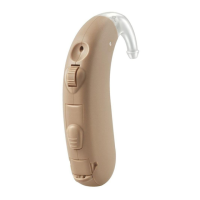
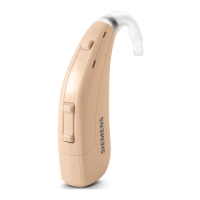
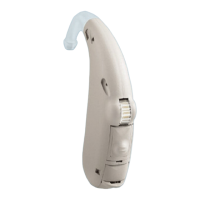
Your hearing instruments

Intended use

General notes on safety

Handling batteries

Inserting and removing the hearing instrument

Inserting

Steps to place the hearing instrument into the ear canal correctly.

Removing

Steps to safely take the hearing instrument out of the ear.

Turning your hearing instrument on and off

Via battery compartment

How to power the device on or off by managing the battery compartment.

Via program button

Utilizing the device's program button to control power status.

Via remote control

Managing power status remotely using a dedicated controller.

Changing the hearing program

Via program button

How to cycle through different hearing programs using the device button.

Via remote control

Selecting hearing programs via a remote control unit.

Adjusting the volume

Automatic

Volume levels adapt automatically during use.

Via volume control

Adjusting sound volume using the device's control wheel.

Via remote control

Controlling volume levels through a remote accessory.

Functionalities

e2 e wireless

Enables synchronized adjustments between hearing instruments.

Power-on delay

Feature for delayed activation to prevent whistling upon insertion.

Maintenance and care

Troubleshooting

Technical information

Disposal information

Siemens IT Specifications

General IconGeneral
CategoryHearing Aid
ManufacturerSiemens
Noise ReductionYes
Feedback CancellationYes
TypeBTE

Related product manuals