6
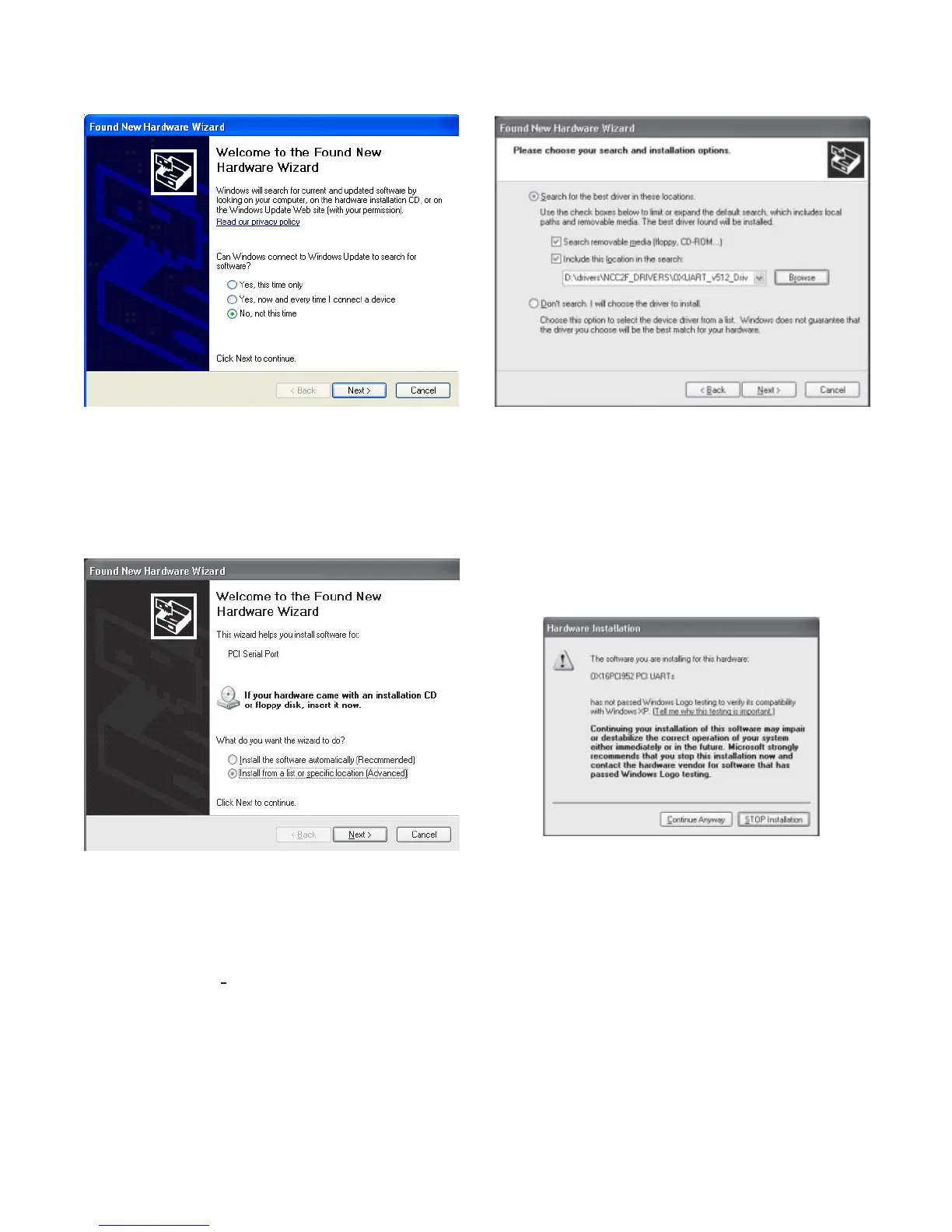
Figure 8
Found New Hardware Wizard
2. Select “Install from a list or specific location (Ad-
vanced)” and then click Next>. Refer to Figure 9.
Figure 9
Install From A List Or Specific Location
3. Select Next> and search for the CD-ROM drive
where the OXUART_v512_DRIVERS folder is located
(exercised via the Browse button). Refer to Figure 10.
Figure 10
Choosing Search and Installation Options
4. After you highlight the folder (when in Browse), click
“OK” to proceed. Now that the path is set, click Next>.
Windows XP will install the appropriate drivers. When
you see the following Hardware Installation warning,
click “Continue Anyway.” Refer to Figure 11.
Figure 11
Hardware Installation Warning
5. The Windows XP Hardware Wizard then installs the
drivers as shown in Figure 12.



 To Next Page