EasyManua.ls Logo

Siemens RG 418 - User Manual

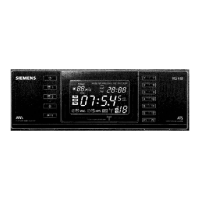
Siemens RG 418
9 pages
Print Icon
To Next Page IconTo Next Page
Loading...
SIEMENS
Bedienungsanleitung
Operating
instructions
Mode
d'emploi
Gebruiksaanwijzing
Istruzioni
per
l’uso
Instrucciones
de
manejo
RG
418
Manual
de
instrugdes
SIEMENS
RGN
TUE
WED
THU:
FRI
SAT-SUN
4
DAE:
AM.
OD.
C1
pu
Co
OE
Question and Answer IconNeed help?

Do you have a question about the Siemens RG 418 and is the answer not in the manual?

Summary

Operation Elements Overview

Setting the Time and Date

Instructions for setting the current time and date on the clock radio.

Programming Radio Stations

Guide to storing favorite radio stations into memory slots using the MEMO function.

Safety Instructions

General Safety Precautions

Important safety guidelines for operating and maintaining the clock radio.

Manual Time and Date Setting

Setting the Time Manually

Step-by-step guide to manually setting the hour and minute on the clock radio.

Setting the Date Manually

Instructions for manually setting the year, month, and day on the clock radio.

Correcting Time and Date

How to Change Time or Date

Procedure for modifying the time or date after initial setup.

Radio Operation and Tuning

Tuning into Stations

Methods for tuning into radio stations, including manual and automatic selection.

Automatic Station Memory (ATS)

Explanation of the automatic station search and saving function.

Saving Stations Individually

Procedure for manually saving selected radio stations into memory slots.

Alarm Functions

Setting Alarm 1

Guide to setting the first alarm, including choosing radio or beep tone.

Setting Alarm Time

Procedure to set the specific hour and minute for the alarm.

Alarm Activation and Control

Activating the Alarm

Steps to confirm settings and activate the programmed alarm.

Deactivating the Alarm

How to turn off the alarm function without stopping the signal.

Interrupting Alarm Signal

Using the snooze function to temporarily stop the alarm.

Additional Functions

Short-term Alarm

Setting a temporary alarm duration for a specific period.

Automatic Sleep Control

Setting the radio to switch off automatically after a chosen duration.

Summary

Operation Elements Overview

Setting the Time and Date

Instructions for setting the current time and date on the clock radio.

Programming Radio Stations

Guide to storing favorite radio stations into memory slots using the MEMO function.

Safety Instructions

General Safety Precautions

Important safety guidelines for operating and maintaining the clock radio.

Manual Time and Date Setting

Setting the Time Manually

Step-by-step guide to manually setting the hour and minute on the clock radio.

Setting the Date Manually

Instructions for manually setting the year, month, and day on the clock radio.

Correcting Time and Date

How to Change Time or Date

Procedure for modifying the time or date after initial setup.

Radio Operation and Tuning

Tuning into Stations

Methods for tuning into radio stations, including manual and automatic selection.

Automatic Station Memory (ATS)

Explanation of the automatic station search and saving function.

Saving Stations Individually

Procedure for manually saving selected radio stations into memory slots.

Alarm Functions

Setting Alarm 1

Guide to setting the first alarm, including choosing radio or beep tone.

Setting Alarm Time

Procedure to set the specific hour and minute for the alarm.

Alarm Activation and Control

Activating the Alarm

Steps to confirm settings and activate the programmed alarm.

Deactivating the Alarm

How to turn off the alarm function without stopping the signal.

Interrupting Alarm Signal

Using the snooze function to temporarily stop the alarm.

Additional Functions

Short-term Alarm

Setting a temporary alarm duration for a specific period.

Automatic Sleep Control

Setting the radio to switch off automatically after a chosen duration.

Siemens RG 418 Specifications

General IconGeneral
BrandSiemens
ModelRG 418
CategoryClock Radio
LanguageEnglish