Familiarising yourself with your appliance en
17
Timer programming Setting timer programming
→Page33
Door handle
1
Open the appliance door. →Page32
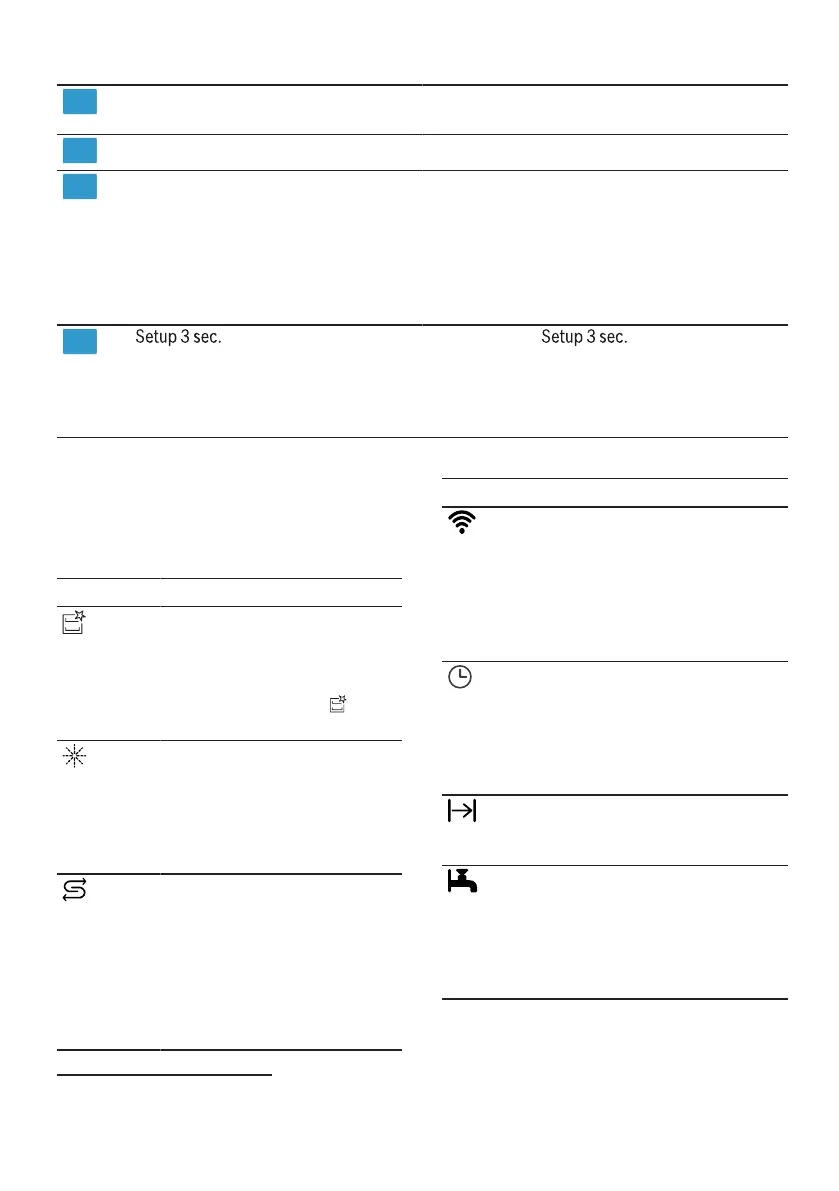
Display The display shows information about
the remaining running time or the ba-
sic settings. You can change the ba-
sic settings via the display and the
setting buttons.
→"Changing basic settings",
Page39
button If you press for approx. 3
seconds, you can open the basic set-
tings.
→"Changing basic settings",
Page39
1
Depending on the appliance specifications
Symbols on the display
1
The display shows the following sym-
bols depending on the model. See
here for an explanation.
Symbol Description
If the symbol for ma-
chine care lights up on
the display, run machine
care.
→"Machine Care ",
Page42
If the rinse aid refill indic-
ator lights up on the dis-
play, top up with rinse
aid.
→"Adding rinse aid",
Page26
If the special salt refill in-
dicator lights up on the
display, add special salt
to the dispenser for spe-
cial salt just before the
programme starts.
→"Adding special salt",
Page25
Symbol Description
If the appliance is con-
nected to a wireless
WLAN home network,
the symbol lights up on
the display.
→"HomeConnect ",
Page39
If you have activated the
electronic start timer, the
symbol lights up on the
display.
→"Setting timer pro-
gramming", Page33
If you have started a pro-
gramme, the symbol
lights up on the display.
If the water inflow or
drainage malfunctions,
the symbol lights up or
flashes on the display.
→"Troubleshooting",
Page46
1
Depending on the appliance specifications




 To Next Page