39
sigsauer.com
CONFIGURING GLOBAL SETTINGS IN THE BDX APP
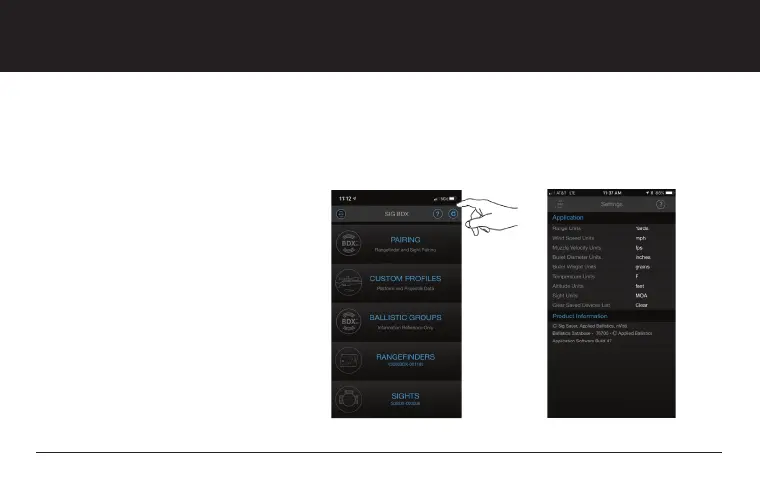
From the Home Screen of the BDX App you can configure Global Settings. Any field that is in
white can be changed by touching on the unit of measure and toggling between values. The
help menu is available to assist you. Global Settings include:
1. Range Unit (Y, M)
2. Wind Speed Unit (mph, m/s, kph)
3. Muzzle Velocity Unit (fps, m/s)
4. Bullet Diameter Unit (inches, cm)
5. Bullet Weight Unit (grains, grams)
6. Temperature Units (F / C)
7. Altitude Units (feet, meters)
8. Sight Units (MOA, MILS)
9. Clear Saved Device List


 To Next Page