EasyManua.ls Logo

Sigma 6000+ - Page 27

Sigma 6000+
42 pages
Print Icon
To Next Page IconTo Next Page
To Previous Page IconTo Previous Page
Loading...
TEST
MODE
PROCEDURE
(CONTINUED)
4.
Air/Occlusion
Sensor
voltage
Checks
(continued)
NOTE:
a.
Be
sure
to
use
tubing
specified
for
use
with
your
unit
(see
front
panel/case
top
of
unit).
b.
Be
sure
tubing
in
front
of
sensor
is
fresh,
not
worn,
flat
or
creased.
-
c.
Be
sure
unit
and
tubing
are
not
cold.
Unit
should
-
have
been
at
room
temperature
for
at
least
3
hours.
jE
|
Pump
ΟΛΜΕ
d.
Use
at
least
5
different
tubes
in
each
unit,
preferably
all
from
different
lots
(especially
for
recalibration
checks).
Test
sets
are
available
from
SIGMA.
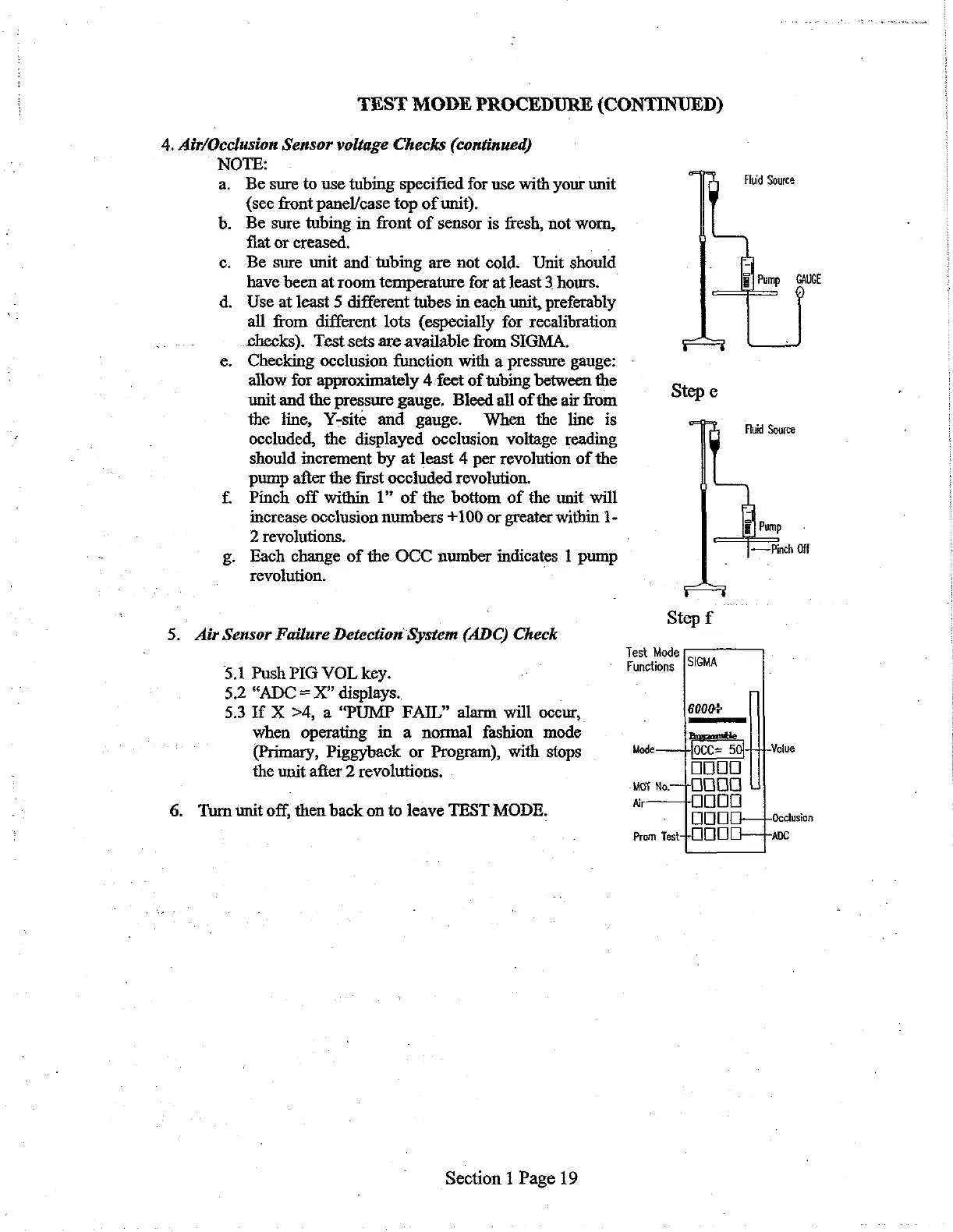
e.
Checking
occlusion
function
with
a
pressure
gauge:
-
allow
for
approximately
4
feet
of
tubing
between
the
s
unit
and
the
pressure
gauge.
Bleed
all
of
the
air
from
tep
e
the
line,
Y-site
and
gauge.
When
the
line
is
>
occluded,
the
displayed
occlusion
voltage
reading
should
increment
by
at
least
4
per
revolution
of
the
pump
after
the
first
occluded
revolution.
f.
Pinch
off
within
1”
of
the
bottom
of
the
unit
will
increase
occlusion
numbers
+100
or
greater
within
1-
Fluid
Source
Fluid
Source
2
revolutions.
.
F
g.
Each
change
of
the
OCC
number
indicates
1
pump
Per
Off
revolution.
-
-
Step
f
5.
Air
Sensor
Failure
Detection
System
(ADC)
Check
Test
Mode
5.1
Push
PIG
VOL
key.
ο:
“Functions
[SISMA
5.2
“ADC
=
X”
displays..
.
5.3
If
X
>4,
a
“PUMP
FAIL”
alarm
will
occur,
.
6000%
when
operating
in
a
normal
fashion
mode
|
(Primary,
Piggyback
or
Program),
with
stops
Mode
Value
|
the
unit
after
2
revolutions.
OOOO
Mo
io
OUBQB
6.
Tum
unit
off,
then
back
on
to
leave
TEST
MODE.
EEE
|
enim
Prom
Test
ADc
Section
1
Page
19

Related product manuals