1
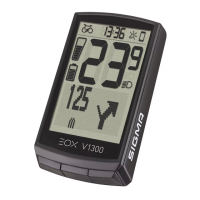
HoldB button when in ride mode.
2
You have access to the main menu
of EOX
®
VIEW 1300.
DE
1. Im Fahrmodus die Taste B gedrückt halten.
2.DasHauptmenüdesEOX
®
VIEW 1300 wird aufgerufen.
TIPP: Die APP bietet dir viele Funktionen zum einstellen und
individualisieren des EOX
®
VIEW 1300. Für weitere Informationen
zu den Funktionen der App siehe Seite „SIGMA EOX
®
App“.
IT
1. In modalità corsa, tieni premuto il pulsante B.
2. Viene richiamato il menu principale dell‘EOX
®
VIEW 1300.
CONSIGLIO: l‘APP offre molte funzioni per impostare e personalizzare
il EOX
®
VIEW 1300. Maggiori informazioni sulle funzioni dell‘app sono
disponibili alla pagina “App SIGMA EOX
®
”.
NL
1. In rijmodus de knop B ingedrukt houden. 2.Hethoofdmenuvan
de EOX
®
VIEW 1300 wordt opgeroepen.
TIP: de app biedt je veel functies voor het instellen en het
individualiseren van de EOX
®
VIEW 1300. Raadpleeg de pagina
“SIGMA EOX
®
App” voor meer informatie over de functies van de app.
CZ
1.VjízdnímrežimupřidržtestisknutétlačítkoB. 2.OtevřesehlavnímenuEOX
®
VIEW 1300.
TIP: Aplikace ti nabízí spoustu funkcí pro individuální nastavení EOX
®
VIEW1300.Dalšíinformaceohledněfunkcínaleznešvaplikaci“SIGMAEOX
®
App”.
FR
1. Depuis la page entraînement, appuyez et maintenez la touche B
enfoncée. 2. Le menu principal de l‘EOX
®
VIEW 1300 s‘ouvre.
ASTUCE: l‘application offre de nombreuses fonctions pour le
réglage et la personnalisation de votre EOX
®
VIEW 1300. Pour plus
d‘informations sur les fonctions de l‘application, voir la page
“Application SIGMA EOX
®
”.
ES
1. En marcha, mantén pulsada la tecla B. 2. Se activará el menú
principal del EOX
®
VIEW 1300.
CONSEJO:laAPPtedamuchasopcionesparacongurary
personalizar tu EOX
®
VIEW 1300. Encontrarás más información sobre
las funciones de la app en la página “SIGMA EOX
®
App”.
PL
1.WtrybiejazdyprzytrzymaćprzyciskB. 2.Wywoływanejest
głównemenuEOX
®
VIEW 1300.
PORADA:Aplikacjazawieralicznefunkcjeumożliwiające
wprowadzanieustawieńiindywidualizacjęurządzeniaEOX
®
VIEW 1300.
Więcejinformacjinatematfunkcjiaplikacjimożeszznaleźćnastronie
„SIGMA EOX
®
App”.
MENU OVERVIEW
EN
1 2
SIGMA EOX
®
App
The app offers you many functions for setting up and
customising the EOX
®
VIEW 1300. For more information
on the app‘s functions, see the “SIGMA EOX
®
App” page.
TIP


 To Next Page
 Loading...