EasyManua.ls Logo

Signet 2551 - User Manual

Signet 2551
12 pages
Print Icon
To Next Page IconTo Next Page
Loading...
1
2
3
4
JP2
FREQUENCY OUT
SERIAL (S
L) OUT
3
Connect output signals and power
to this 4-terminal block.
1.
Sensor Type Pipe Size Jumper Position
2551-P0/T0/V0/W0 ½ in. to 2½ in.
DN15 to DN65
2551-P0/T0/V0/W0 3 in. to 4 in.
DN80 to DN100
2551-P1/T1/V1/W1 5 in. to 6 in.
DN125 to DN150
2551-P1/T1/V1/W1 8 in.
DN200
2551-P2/T2/V2/W2 10 in. to 12 in.
DN250 to DN300
2.
3.
4.
4.
5.
Signet 2551 Magmeter
*3-2551.090*
3-2551.090 Rev G 10/08 English
1. Quick Start Guide
This manual contains the general installation, wiring and calibration data for the Signet 2551-XX-11 Magmeter with Frequency or Serial
data output, and for the Signet 2551-XX-12 Magmeter with Current output. The basic steps are outlined on this page.
See each referenced section for detailed information.
1. Con gure the Hardware
2551-XX-11 ONLY: Position this Jumper to select
digital (S
3
L) output or Frequency output. (Not used
for Current output version) Sec. 5 Pg. 4
2. Position the PIPE SIZE Jumper according to your
pipe size. Sec. 5 Pg. 4.
3. Install the Magmeter into the pipe.
Use Signet installation ttings ONLY.
The installation tting is critical to Magmeter
performance. Sec. 3 Pg. 3
4. Connect POWER and OUTPUT wiring.
2551-XX-11 Frequency out: Sec. 8.1 Pg. 6
2551-XX-11 Serial data out: Sec. 8.2 Pg. 6
2551-XX-12 Current out wiring: Sec. 7 Pg. 5
GROUNDING
Without a good Earth Ground, the Magmeter may
not operate ef ciently. Sec. 6 Pg. 5
5. Route the wiring out through the two cable ports.
Use appropriate hardware to secure the 2551 from
moisture intrusion. One Liquid Tight Connector is
included. Sec. 5 Pg. 4
Topic: Page
1. Quick Start Guide 1
2. Speci cations 2
3. Installation: Pipe Fittings 3
4. Selecting a Location 3
5. Hardware Con guration 4
6. General Installation and Grounding Tips 5
7. Wiring the Magmeter with 4-20 Loop 5
Topic: Page
8. Wiring the Magmeter
with Frequency or Digital Output 6
9. Calibration and Software Con guration 6
10. Calibration Data 7
11. Maintenance and Troubleshooting 11
12. Ordering Information 12
English
Description
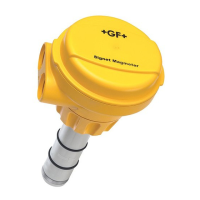
The Signet 2551 Magmeter is an insertion style magnetic ow sensor. The patented sensor design is available in a variety of corrosion-
resistant materials to provide long-term reliability and minimal maintenance costs. Wetted material combinations include PP/316 SS,
PVDF/SS, PVDF/Hastelloy-C, and PVDF/Titanium. The 2551 installs quickly and securely into a wide selection of ow ttings to deliver
accurate ow measurement in pipe sizes ranging from DN15 to DN300 (½ in. to 12 in.).
Signet 2551 Magmeters are available with a frequency output or a 4 to 20 mA output. Signet's digital (S
3
L) output is included with the
Frequency output models for use with the Signet 8900 Multi-Parameter Controller, while the 4 to 20 mA output can be used for a direct
input to a PLC, SCADA or telemetry system.
All 2551 Magmeters feature empty pipe detection and LED-assisted diagnostics. The Signet 3-0250 USB to Digital S
3
L set-up tool is
available to customize every performance feature in the 2551 to adapt it to the speci c application requirements.

Questions and Answers

  • K
    Kathy LaneAug 17, 2025
    Why is the frequency, digital, or current output erratic on my Signet 2551 Measuring Instruments?
    • C
      Cynthia CannonAug 17, 2025
      Erratic frequency, digital, or current output from your Signet Measuring Instruments can stem from several causes: The magmeter might be too close to an upstream obstruction—move it at least 10 pipe diameters away. The electrodes could be coated with solids—clean them gently with a soft cloth, avoiding abrasives. Air bubbles might be present—eliminate them from the pipe. Electrical noise could be interfering—modify the grounding to shield the magmeter. Finally, a new sensor's metal surface might need conditioning—soak the sensor overnight in fluid.
  • A
    alexanderallenAug 19, 2025
    What to do if the 4-20 mA output is incorrect on Signet 2551?
    • M
      Melissa HunterAug 19, 2025
      An incorrect 4-20 mA output on your Signet Measuring Instruments could be due to a few reasons. First, the loop device may not be scaled the same as the magmeter; use the 3-0250 Setup tool to respan the magmeter to match the loop device. Second, the range jumper may not be placed correctly; ensure it is set correctly. If neither of these resolves the issue, the magmeter may be defective, requiring a return to the factory for service.
  • T
    tjacksonAug 22, 2025
    What to do if the output is not 0 when flow is stopped in Signet Measuring Instruments?
    • R
      Rodney StephensAug 22, 2025
      If the output isn't 0 when the flow is stopped in your Signet Measuring Instruments, it could be due to several factors. The electrode may not be adequately conditioned; try soaking the sensor overnight in fluid. Electrical noise interference can also cause this issue; modify the grounding to protect the magmeter from interference. Vibration or movement in the pipe might cause the magmeter to detect flow; in this case, set the low flow cutoff higher. If none of these solutions work, the magmeter may be defective and require a return to the factory for service.
  • H
    harveyronaldAug 25, 2025
    What to do if the frequency, digital, or loop output is inoperative on Signet 2551 Measuring Instruments?
    • M
      Maria ThompsonAug 26, 2025
      If the frequency, digital (S3L), or loop output is inoperative on your Signet Measuring Instruments, check the following: Ensure the correct model is being used (frequency model is 3-2551-11). Verify the blue jumper is in the correct position. Check the wiring and make any necessary corrections. If using another manufacturer's flow instrument, ensure the frequency input has a pull-up resistor; install a 10k resistor if needed.
  • R
    Richard McculloughAug 28, 2025
    What to do if the output is 22.1 mA on Signet Measuring Instruments?
    • P
      phelpserikaAug 28, 2025
      If the output is 22.1 mA on your Signet Measuring Instruments, it may be due to conductivity being less than 20 ?S/cm. This indicates an unsuitable application for the magmeter, and it should be returned to the factory for service.
  • M
    Mr. Scott OconnellAug 30, 2025
    What does a solid red light indicate for Instrument error on Signet 2551?
    • A
      Amy WilsonAug 30, 2025
      Solid Red indicates an Instrument error (defective electronics component) in Signet Measuring Instruments.
  • E
    Eric CareySep 5, 2025
    What to do if 4-20 mA current output is incorrect in Signet 2551 Measuring Instruments?
    • C
      Christina WattsSep 5, 2025
      If the 4-20 mA current output of your Signet Measuring Instruments is incorrect, it could be due to a mismatch in scaling between the loop device and the magmeter. To fix this, use the 3-0250 Setup tool to respan the magmeter to match the loop device. Another possible cause is an incorrectly placed range jumper; ensure the range jumper is set correctly. If neither of these solutions works, the magmeter may be defective and need to be returned to the factory for service.
  • T
    Teresa PriceSep 8, 2025
    Why is the output of Signet 2551 Measuring Instruments not 0 when flow is stopped?
    • M
      Michael HamiltonSep 8, 2025
      If the output of your Signet Measuring Instruments is not 0 when the flow is stopped, it could be due to a few reasons. One possibility is that the electrodes are not adequately conditioned; in this case, soak the sensor overnight in fluid. Another cause might be vibration or other movement in the pipe causing the magmeter to detect flow; try increasing the Low Flow Cutoff to address this. Electrical noise interference could also be a factor; modify the grounding to protect the magmeter from interference. If none of these solutions work, the magmeter may be defective and should be returned to the factory for service.
  • K
    Kelly ForbesSep 12, 2025
    What causes the frequency output to be inoperative in Signet 2551 Measuring Instruments?
    • S
      swangSep 12, 2025
      If the frequency output, digital (S3L) output, or loop output of your Signet Measuring Instruments is inoperative, first verify that the 2551 is the correct model, specifically the Frequency/S3L model: 3-2551-11. Also, ensure that the blue jumper is placed correctly. Check the wiring and make any necessary corrections. Finally, if you're using another manufacturer's flow instrument, ensure that the frequency input has a pull-up resistor; if not, install a 10 k resistor.
  • N
    Natalie PhillipsSep 13, 2025
    Why does Signet 2551 Measuring Instruments output read 22.1 mA?
    • M
      Mindy RomanSep 13, 2025
      If the output of your Signet Measuring Instruments reads 22.1 mA, it may be because the conductivity is less than 20 µS/cm, meaning the fluid is too clean for the magmeter, making it an unsuitable application. Alternatively, it could be due to an electronic component failure, in which case you should return the 2551 to the factory.

Summary

Quick Start Guide

Specifications

General Specifications

Covers pipe size range, flow range, linearity, repeatability, and minimum conductivity.

Wetted Materials

Lists material combinations for sensor body, electrodes, grounding ring, and O-rings.

Electrical Specifications

Details power requirements for different outputs and current/frequency output specs.

Environmental Requirements

Covers storage temperature, humidity, ambient, operating temperature, media, and pressure limits.

Standards and Approvals

Lists CE, NEMA 4X/IP65, EMC, Safety standards, and U.S. Patent.

Installation: Pipe Fittings

Plastic Installation Fittings

Describes plastic tees, glue-on saddles, clamp-on saddles, and metric union tees.

Metal Installation Fittings

Describes iron, carbon steel, 316 SS threaded tees, weld-on weldolets, and fiberglass fittings.

Selecting a Location

Flow Profile Requirements

Explains the need for a full pipe and developed turbulent flow profile.

Installation Considerations

Covers conduit port orientation, chemical injection, and gravity flow systems.

Hardware Configuration

Jumper Settings

Explains the function of JP2 jumper for output selection and pipe size.

Terminal Connections

Details connecting output cables to the 4-terminal block and sensor wiring.

General Installation and Grounding Tips

Sensor Conditioning

Advises on allowing the sensor to soak in a full pipe for stable performance.

Grounding

Explains grounding requirements to eliminate electrical interference.

Wiring the 4-20 mA Loop Output

Wiring the Frequency or Digital (S³L) Output

Frequency Output Wiring

Details connecting frequency output to Signet instruments and other manufacturers.

S³L Output Wiring

Describes connecting S³L output to the Signet 8900 Multi-Parameter Controller.

Calibration and Software Configuration

Parameter Customization

Lists customizable parameters like 4-20 mA span, noise rejection, low flow cutoff, averaging, and sensitivity.

Calibration Data: Plastic and Metal Fittings (Inch)

Plastic Installation Fittings (Inch)

K-factors and 20mA values for PVC, CPVC, Polypropylene tees and saddles.

Metal Installation Fittings (Inch)

K-factors and 20mA values for Iron, CS, SS tees and weld-o-lets.

Calibration Data: Metric Plastic Fittings

Plastic Installation Fittings (Metric)

K-factors and 20mA values for metric PP, PVDF, PVC fittings.

Calibration Data: Metal Fittings (Inch - Part 1)

Carbon Steel Tees and Weld-o-Lets

K-factors and 20mA values for Carbon Steel tees and weld-o-lets.

Stainless Steel Tees and Weld-o-Lets

K-factors and 20mA values for Stainless Steel tees and weld-o-lets.

Galvanized Iron Tees

K-factors and 20mA values for Galvanized Iron tees.

Calibration Data: Metal Fittings (Inch - Part 2)

Iron Saddles

K-factors and 20mA values for Iron Saddles.

Bronze and Copper Tees and Brazolets

K-factors and 20mA values for Bronze and Copper fittings.

Maintenance and Troubleshooting

Maintenance

Recommends cleaning electrodes and avoiding abrasive materials.

Troubleshooting

Lists common symptoms, causes, and solutions for erratic output or incorrect readings.

Troubleshooting with LED Indicators

Explains the meaning of different LED light combinations for status indication.

Ordering Information

Sensor Part Number Structure

Details how to construct the part number based on materials, pipe size, and output.

Replacement Parts and Accessories

Lists available replacement parts like O-rings and accessories like power supplies and tools.

Signet 2551 Specifications

General IconGeneral
Repeatability±0.5% of reading
Material CompatibilityConductive liquids
Output4 to 20 mA, frequency
Power24 VDC
Resolution0.001 m/s (0.003 ft/s)
Pipe Size RangeDN15 to DN900 (0.5 to 36 in.)