91
Charger data
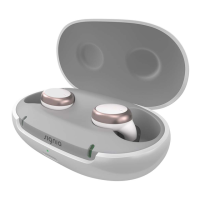
Under the removable silicone lining in the lid of
the charger is a label with symbols, serial number,
CE mark and legal manufacturer of the charger. Lift
the lining from the lid with your ngernail and pull it o.
To reinsert, press around the edges.
Troubleshooting for hearing inruments
Problem and possible solutions
Sound is weak.
●
Increase the volume.
●
Charge the hearing inrument.
●
Clean or exchange the ear piece.



 To Next Page