
 Need help?
Do you have a question about the signia StreamLine TV and is the answer not in the manual?
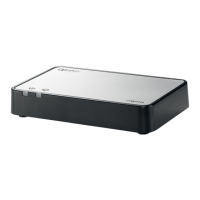
Position the transmitter close to your electronic device and hearing instruments for best connection.
Connect the micro USB cable to the transmitter and the power plug to the power supply.
Connect the transmitter to your electronic device using TOSLINK or RCA cables.
Connect the transmitter to your electronic device using the TOSLINK cable and its output.
Connect the transmitter to your electronic device using the RCA cable or adapter.
Pair your hearing instruments with the transmitter by turning them off and on and placing them close.
This transmitter can be paired to multiple hearing instruments; manage pairings carefully.
Learn how to start, stop, and adjust audio streaming using your hearing instruments.
Warnings and precautions regarding personal safety, including choking hazards and electrical shock.
Precautions for product safety, including avoiding extreme heat, sunlight, and high humidity.
Explains symbols used in the document and on the device for better understanding.
Troubleshooting steps for when the TOSLINK cable is connected, covering signal format and audio availability.
Troubleshooting steps for when the RCA cable is connected, focusing on output signal and availability.
Details on operating, transport, and storage conditions for the device.

 To Next Page
 General