AFTER SALES SUPPORT
1300 777 137
service@unclebills.com.au
MODEL: EA0403 PRODUCT CODE: 46486 08/2017
10
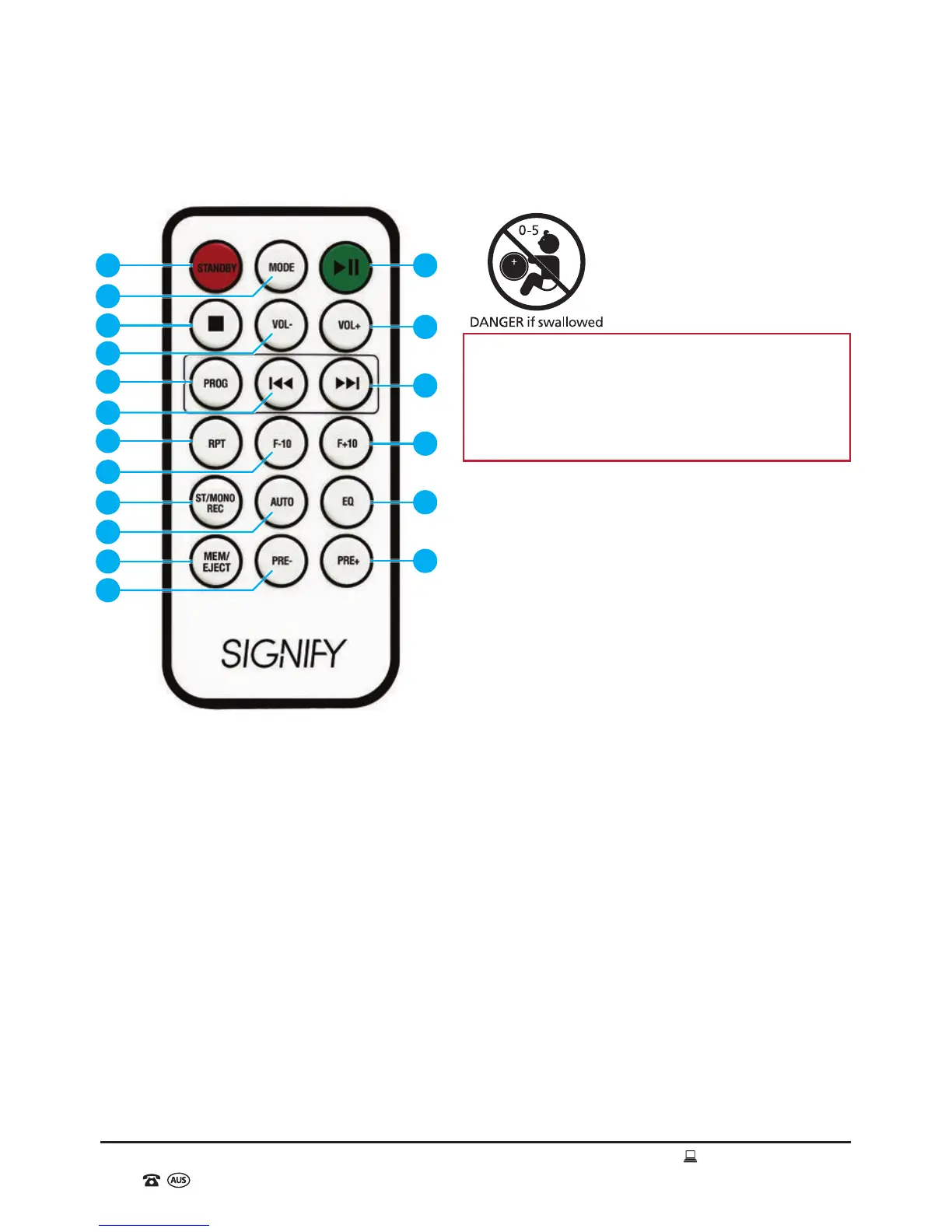
Remote Control Diagram
Remote Control Function List
1. POWER Button - On / Standby
2. FUNCTION Button – Mode Selection
3. STOP Button
4. VOL- Button – Decrease Volume
5. PROG Button – Program
6. PREV/F.B Button – Tune- / Previous
Station or Track / Fast Backward
(rewind)
7. REPEAT Button
8. FOLDER- Button – Skipping Previous
Tracks (for digital media)
9. ST/MONO Button – Stereo / Mono
Use in Radio Mode (where available)
10. AUTO Button – FM Radio Auto-search
and Save Stations
11. MEM Button - Memory
12. PRE- Button – Previous Preset Station
13. PLAY/PAUSE Button
14. VOL+ Button – Increase Volume
15. NEXT/F.F Button - Tune+ / Next Station
or Track / Fast Forward
16. FOLDER+ Button – Skipping Next Tracks
(for digital media)
17. EQ Button – Equalizer
18. PRE+ Button – Next Preset Station
Product Overview (cont)
1 13
14
15
16
17
18
5
7
9
11
2
6
8
10
12
4
3
WARNING: Keep batteries out of reach of
children. Swallowing may lead to serious
injury or death in as little as 2 hours due to
internal burns. If swallowed, go straight
to a hospital emergency room. Dispose of
used batteries immediately.



 To Next Page