© 2000–2021 signotec GmbH signotec Delta user manual Page 12 of 19
4. If the orange USB plug is connected to a host (computer) or power supply first, the USB
mode remains enabled.
8.4. Operation with DHCP
The signotec Delta signature pad with integrated Ethernet connection supports the automatic
assignment of an IP address via DHCP from firmware 1.42 (June 2020). The use of DHCP is enabled
ex-works, meaning that the device immediately attempts to retrieve an IP address when the
network mode is detected or enabled (see also Automatically detecting the connection type or
Connecting over the network). The use of DHCP can be enabled or disabled in the service menu at
any time.
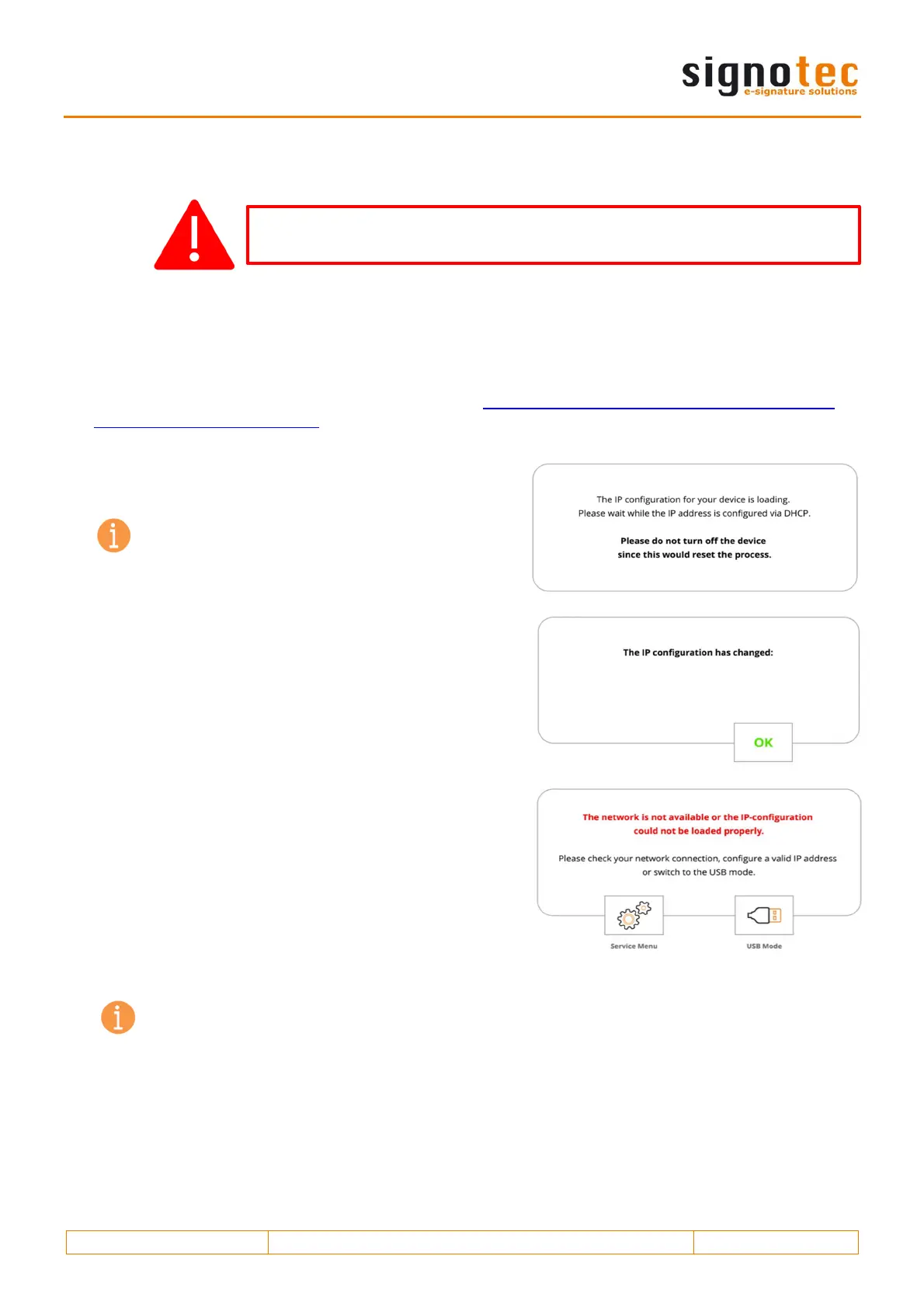
While the IP address is being retrieved, the device
displays the message shown on the screen.
Note: The timeout for retrieving the IP address
is 60 seconds by default.
If the IP address was successfully assigned, it will be
shown on the display and must be confirmed. This also
serves to inform about a new IP address if it should
have changed. The last assigned IP address can also
be called up in the service menu.
If the IP address fails to be retrieved, you can switch
directly to USB mode or the service menu to make your
own settings.
Note: Using the Spanning Tree Protocol (STP) in the underlying network can negatively
affect the speed of the DHCP configuration. The signature pad has no influence on this.
Remember to always insert the Ethernet or the black USB cable before you
use the orange cable.


 To Next Page
 Loading...