© 2000–2021 signotec GmbH signotec Delta user manual Page 13 of 19
8.5. Inserting the USB cable
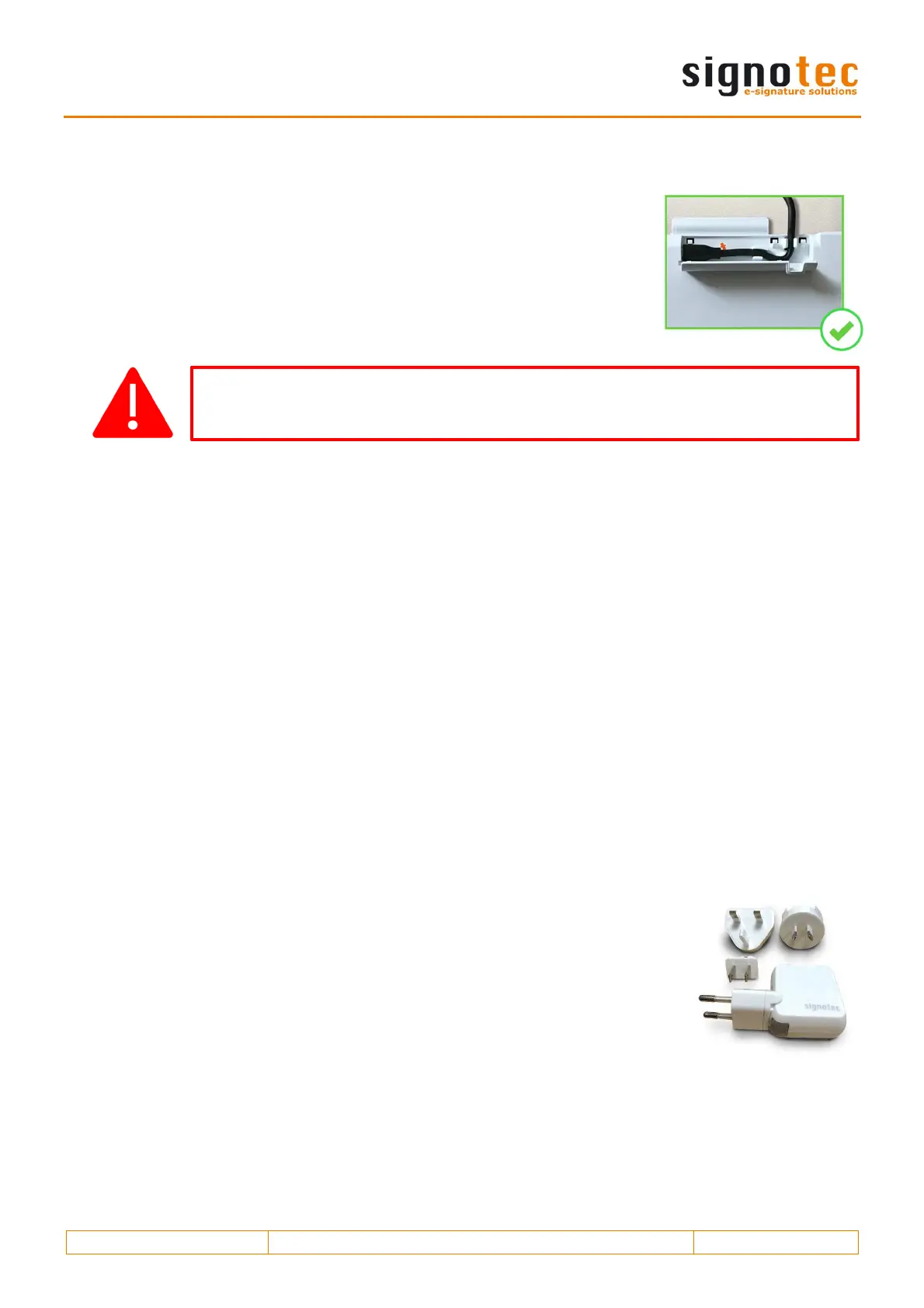
The USB cable is part of the scope of delivery and it is easily connected
to the device. First you insert the Micro-USB plug into the port on the
back of the device and route the cable through the tension relief. Then,
you connect both USB Type A plugs to a computer.
8.6. Power supply via USB
The signotec Delta signature pad features a USB Y-cable. The cable has two plugs in order to
provide the device with sufficient power (1,000 mA max.). One USB 2.0 plug provides an output
of 500 mA in accordance with USB specifications. One USB 3.0 plug provides an output of 900 mA.
Often it is sufficient to connect the device only using the black plug for systems with USB 3.0 ports.
However, for systems with USB 2.0 ports, you need to use both plugs in order to provide sufficient
power to the device.
If the device is not provided with sufficient power, it can mean that it will not turn on, that it may
turn off sporadically or that it will not react to the pen input.
8.7. Power supply via Power-over-Ethernet (PoE)
The signotec Delta signature pad can be shipped with an integrated Ethernet connection and
support for Power-over-Ethernet (PoE). If the basic IT infrastructure for Power-over-Ethernet is
available, then the device can be supplied with power using the Ethernet cable. This option
supports the three common standards: PoE, PoE+ and 4PPoE (also called 802.3af-2003, 802.3at-
2009 and 802.3bt-2018). If using this option, you do not need to use a power supply unit.
8.8. Using an external power supply unit
Some systems do not provide the necessary 500 mA (USB 2.0) or 900 mA
(USB 3.0/3.1) on each port as per USB specification. If the device does not
receive sufficient power, it will not turn on or it may sporadically turn off.
You will need to use an optional power supply unit to provide a reliable
source of power.
It is connected to a power outlet. The orange plug of the supplied USB-Y
cable is inserted on the other side and connected to the device.
Depending on the connection type, the black cable is connected to the free USB port on the com-
puter or an Ethernet cable is attached to the signotec Delta signature pad, which would mean that
the USB connection to the computer is not necessary.
Improper plugging in/out of the USB cable, or doing so too often, can cause
damage to the cable and Micro-USB plug. The warranty does not cover this type
of damage.


 To Next Page
 Loading...