© 2000–2021 signotec GmbH signotec Delta user manual Page 8 of 19
6.3. VESA mounting fixture
There are markings for a 75 × 75 mm VESA mounting fixture on the back of the signature pad.
Thermo plastic screws (such as the Ejot or Schriever brand) with a diameter of 3 mm and a
maximum penetration depth of 6.5 mm must be used for mounting.
6.4. USB cable
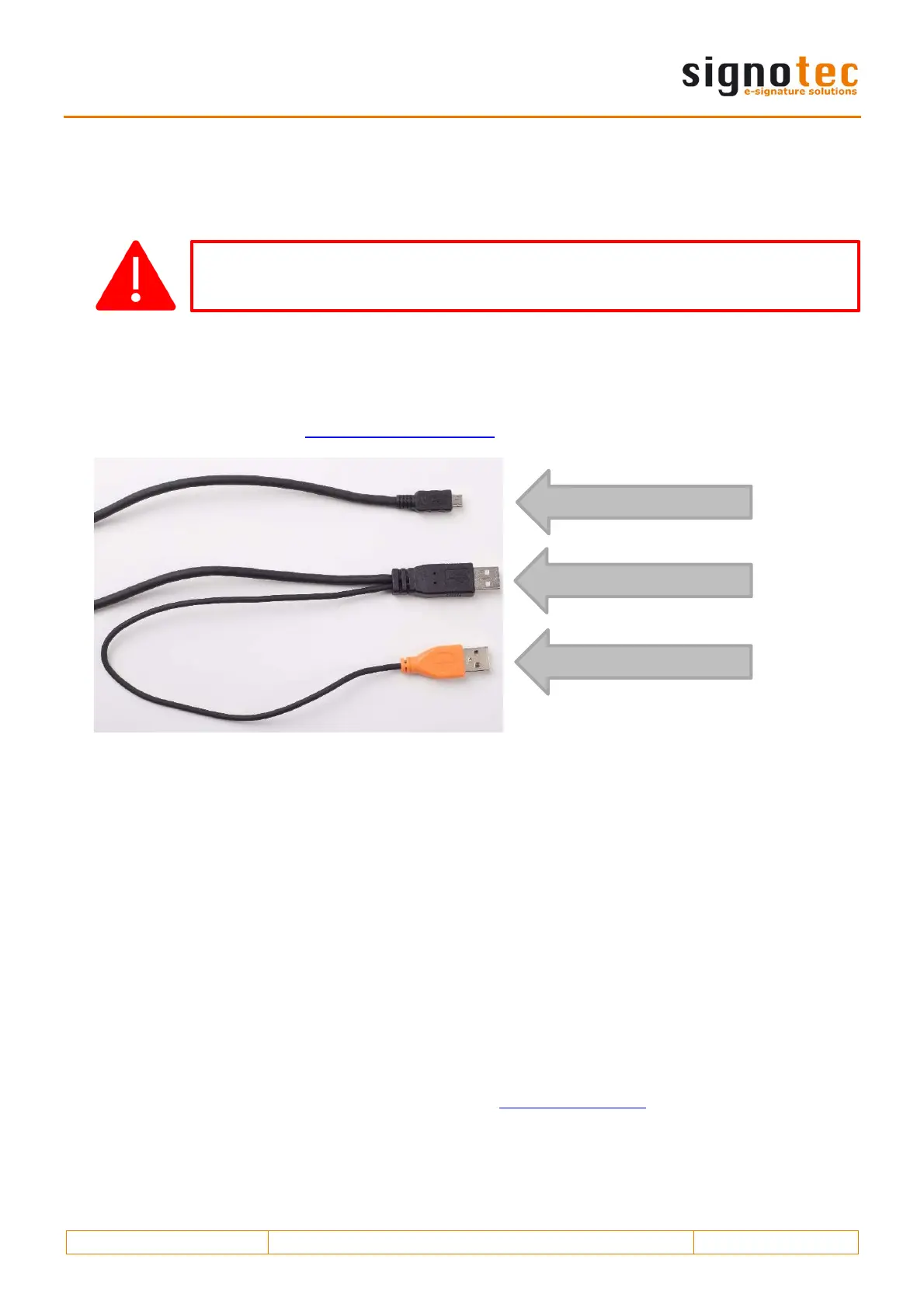
The supplied USB Y-cable has three different plugs. The Micro-USB plug is connected to the device.
The black plug provides power and data transfer and the orange plug provides an additional power
supply. Please refer to the ‘Inserting the USB cable’ section for more information.
7. Connection types
The signotec Delta signature pad is available in two different connection types. The device features
an HID/WinUSB connection and an optional Ethernet connection (RJ45). The Ethernet connection can
optionally be compatible with Power-over-Ethernet (PoE), meaning that no external power supply is
required in a corresponding system environment.
There is no variant with an integrated USB-to-serial converter (FTDI), in contrast to the other signotec
pads, as the performance of this interface would not be sufficient for such a large display.
7.1. Use with a computer
We recommend using a signature pad in HID-USB or WinUSB mode for use on a computer with a
local operating system. If you operate the device under Windows 8.1, we recommend installing
the signotec HID driver. This driver disables the (Windows) power saving feature for the signotec
signature pads, which can have a negative effect on the device and could turn off the device from
time to time, for example. The driver is automatically installed with all current signotec software
products. As an alternative, you can download it at www.signotec.com.
If you use incorrect mounting accessories, it can result in damage to the housing
and the electronics.
Micro-USB connection
USB data connection
USB power connection



 To Next Page
 Loading...