
EasyManua.ls Logo

SIGURO SGR-RV-L650B - User Manual

SIGURO SGR-RV-L650B
88 pages
Print Icon
To Next Page IconTo Next Page
Loading...
SGR-RV-L650B
SGR-RV-L651B
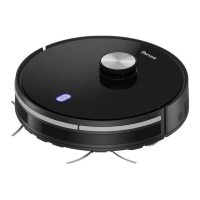
Laser Robotic Vacuum Cleaner
Laser-Robotersauger
Laserový robotický vysavač
Lasrový robotický vysávač
Lézeres robotporszívó
EN Translation of the operating instructions from the original language.
DE Übersetzung der Bedienungsanleitung aus der Originalsprache.
CZ Návodkpoužitívoriginálnímjazyce.
SK Prekladnávodunapoužitiezoriginálnehojazyka.
HU Ahasználatiutasításfordításaeredetinyelvről.

Questions and Answers

  • D
    Dr. Scott GreenAug 15, 2025
    Why my SIGURO SGR-RV-L650B will not power on?
    • S
      Susan ShieldsAug 15, 2025
      If your SIGURO Vacuum Cleaner won't power on, check that the main power switch on the bottom of the device is set to 'I' (on). Also, check the charge level and charge the battery if necessary.
  • J
    Joshua GuerreroAug 19, 2025
    Why does my SIGURO SGR-RV-L650B fail to return to the charging station?
    • B
      Brandy CarsonAug 19, 2025
      If your SIGURO Vacuum Cleaner isn't returning to the charging station, ensure it's fully charged before use. Place the charging station near a wall with 2 m (6 ft) clearance in front and 1 m (3 ft) on either side. Also, clean the charging contacts on both the vacuum and the station.
  • S
    Sandra GibsonAug 21, 2025
    What to do if my SIGURO Vacuum Cleaner is not charging?
    • K
      Katherine BennettAug 21, 2025
      If your SIGURO Vacuum Cleaner is not charging, make sure you're using the original power adapter and that it's correctly plugged into the mains. If you suspect the battery is damaged, no answer.
  • M
    Mark MarshallAug 25, 2025
    Why my SIGURO SGR-RV-L650B stopped suddenly?
    • R
      Rodney BowenAug 25, 2025
      If your SIGURO Vacuum Cleaner stopped suddenly, check if it's stuck or has hit an obstacle. Also, check the charge level. You can also try setting the main power switch to off, waiting two seconds, and then setting it back to on.
  • D
    dawnsparksAug 28, 2025
    What to do if automatic charging is not working on my SIGURO SGR-RV-L650B?
    • C
      Curtis ColemanAug 28, 2025
      If automatic charging is not working for your SIGURO Vacuum Cleaner, check that the charging station's LED is lit and that the vacuum has a clear path to the station. Also, make sure the vacuum didn't run out of power before reaching the station; if it did, plug it in manually. Dock the vacuum with the charging station before starting a cleaning cycle.
  • M
    Mackenzie MccallAug 30, 2025
    Why SIGURO SGR-RV-L650B Vacuum Cleaner does not resume cleaning when it should?
    • E
      ebonyadamsAug 30, 2025
      If your SIGURO Vacuum Cleaner doesn't resume cleaning after being lifted, rebooted, cleaned, or taken out of standby, it likely couldn't triangulate its position. Manually return it to the charging station and restart the cleaning cycle. Once it recreates its internal map, re-specify virtual walls and no-go zones and save.
  • E
    Elizabeth MitchellSep 2, 2025
    Why does my SIGURO SGR-RV-L650B Vacuum Cleaner keep going in reverse?
    • N
      Nicole HudsonSep 3, 2025
      If your SIGURO Vacuum Cleaner keeps going in reverse, check if the ambient light is not too strong and that the surface being cleaned is not a black carpet. Also, check the condition and cleanliness of the sensors on the device's bottom and clean them if needed. Finally, ensure the wheels aren't stuck and clean them if required.
  • C
    Catherine BakerSep 6, 2025
    What to do if the bumper is stuck on my SIGURO SGR-RV-L650B?
    • M
      Michael RobbinsSep 6, 2025
      If the bumper on your SIGURO Vacuum Cleaner is stuck, carefully free it with your hands and check that it moves freely.
  • E
    Eileen AndersonSep 8, 2025
    How to fix malfunctioning fall sensors on SIGURO Vacuum Cleaner?
    • A
      andrewmoralesSep 8, 2025
      If the fall sensors on your SIGURO Vacuum Cleaner are malfunctioning, clean them off with a dry, soft cloth.
  • A
    Amanda HunterSep 12, 2025
    What to do if the side brush has come loose on my SIGURO SGR-RV-L650B Vacuum Cleaner?
    • M
      Matthew GarciaSep 12, 2025
      If the side brush on your SIGURO Vacuum Cleaner has come loose, simply reattach it. The brushes are designed to be detachable and replaceable.

Summary

Safety Information

General Safety Precautions

General safety guidelines for operation, children, cleaning, and usage.

Safety Information

Power and Cable Safety

Safety measures related to the power adapter, cables, and electrical connections.

Usage and Environmental Safety

Precautions regarding appliance placement, usage environment, and water.

Safety Information

Laser Device and Electrical Safety

Information on the laser device, protection class, and general electrical safety.

Battery Disposal Guidelines

Instructions for the proper and environmentally friendly disposal of batteries.

Product Overview

Device Components Identification

Identification and description of various parts of the robotic vacuum cleaner.

Remote Control

Remote Control Functions and Operation

Explanation of the buttons and functions available on the remote control.

Accessories and Specifications

List of Included Accessories

List of items included in the product package.

Technical Specifications

Detailed technical data and performance parameters of the vacuum cleaner.

Before First Use

Initial Setup and Battery Installation

Steps for initial setup, installing the battery, and setting up the charging station.

Charging

Charging Station Setup and First Charge

How to place the charging station and perform the initial charging cycle.

Charging

Completing the First Charge Procedure

Final steps for completing the initial battery charge and post-charge procedures.

Remote Control

Remote Control Battery Installation and Usage

Instructions for inserting batteries and safe usage of the remote control.

Preparing the Room for Cleaning

Room Preparation Guidelines

Essential steps to prepare the cleaning area for optimal vacuum operation.

Using the Vacuum Cleaner

Powering On;Off and Standby Mode

How to turn the vacuum on, off, and manage standby mode.

Cleaning Mode Selection

Description and activation of different cleaning modes available on the remote.

Planned Cleaning

Setting Clock and Scheduling Tasks

Procedure for setting the vacuum's internal clock and scheduling cleaning tasks.

Cancelling Planned Cleaning

Methods to cancel pre-programmed cleaning schedules.

Wet Cleaning Attachment

Attaching and Preparing the Wet Cleaner

Instructions for attaching and preparing the wet cleaning module.

Wet Cleaning Attachment

Wet Cleaning Attachment Operation and Maintenance

How to operate the wet cleaning attachment and post-use care.

App Control

Downloading and Installing the Smart App

Steps to download and install the companion smartphone application.

App Control

Adding Your Vacuum to the App

Guide to connecting and registering the vacuum cleaner with the app.

Targeted and Custom Area Cleaning

Using the app to define specific cleaning areas or points.

Defining No-Go Zones

Setting up restricted areas where the vacuum should not enter.

App Control

Virtual Wall Setup

Creating virtual barriers to guide or restrict the vacuum's movement.

Additional App Features

Overview of other app functionalities like planning, manual control, and settings.

Cleaning and Maintenance

General Cleaning Precautions

Important safety warnings and general advice before cleaning the appliance.

Cleaning and Maintenance

Cleaning Rotary Brushes and Filters

Procedures for cleaning the main and side brushes, dustbin, and filters.

Cleaning Wet Attachment and Sensors

Instructions for cleaning the wet cleaning module and navigation sensors.

Cleaning the Central Rotary Brush

Detailed steps for removing and cleaning the central main brush.

Cleaning and Maintenance

Cleaning Vacuum Body and Charging Station

How to clean the vacuum's exterior and charging station, and storage advice.

Troubleshooting

Common Vacuum Issues and Solutions

Solutions for common problems like reverse movement, power, and charging.

Troubleshooting

Advanced Troubleshooting and Error Resolution

Solutions for less common issues like Wi-Fi connectivity, navigation, and sudden stops.

SIGURO SGR-RV-L650B Specifications

General IconGeneral
BrandSIGURO
ModelSGR-RV-L650B
CategoryVacuum Cleaner
LanguageEnglish