
EasyManua.ls Logo

SIGURO SGR-SC-S450W - User Manual

SIGURO SGR-SC-S450W
60 pages
Print Icon
To Next Page IconTo Next Page
Loading...
SGR-SC-S450W
SGR-SC-S451B
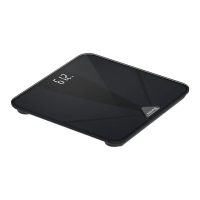
Diagnostic Bathroom Scale
Diagnostic bathroom scale
Diagnostische Waage
Diagnostická váha
Diagnostická váha
Diagnosztikai személymérleg
Pèse personne impédancemètre
Bilancia pesapersone diagnostica
Cântar de baie pentru
diagnosticare
EN Translation of the operating instructions from the original language.
DE Übersetzung der Bedienungsanleitung aus der Originalsprache.
CZ Návodkpoužitívoriginálnímjazyce.
SK Prekladnávodunapoužitiezoriginálnehojazyka.
HU Ahasználatiutasításfordításaeredetinyelvről.
FR Traduction du mode d‘emploi à partir de la langue d‘origine.
IT Traduzione delle istruzioni per l‘uso dalla lingua originale.
RO Traducereainstrucțiunilordeutilizaredinlimbaoriginală.

Questions and Answers

  • K
    Kathryn GibsonAug 6, 2025
    What to do if no values are transferred to the SIGURO Scales app?
    • J
      Jenna LongAug 6, 2025
      If no values are being transferred to the app from your SIGURO Scales, ensure the scale is added to the device list and successfully paired with your smartphone. Also, verify that your smartphone's Bluetooth function is on and that the scale is within range. Try replacing the batteries if they are low, closing and restarting the app, or toggling your phone's Bluetooth off and on again to reset the connection with the scale.
  • V
    Victoria BrooksAug 16, 2025
    Why is it not possible to pair SIGURO SGR-SC-S450W with a smartphone?
    • L
      lsavageAug 16, 2025
      If you're unable to pair your SIGURO Scales with a smartphone, first ensure that no other user is actively using the scale through the application, as only one active connection is supported at a time. While the scale can be paired with up to 12 smartphones, only one can actively use the application. Also, verify that your smartphone's Bluetooth version is 4.0 or higher, as older versions are not supported.
  • J
    jennifersalazarAug 26, 2025
    How to fix SIGURO Scales when the display is still off?
    • B
      Brett WilsonAug 26, 2025
      If the display of your SIGURO Scales is off, check the condition of the batteries and replace them if necessary.

Summary

Safety Information

Use

Before First Use

Instructions for unpacking, inspecting, and cleaning the scale before its initial operation.

Inserting and Replacing Batteries

Steps for correctly inserting and replacing batteries in the scale for power.

Weighing

Guidance on proper scale placement, posture, and the weighing process for accurate results.

Use with Application

Instructions on connecting the scale to a smartphone app via Bluetooth.

Device Registration and Connection

Step-by-step guide to pairing the scale with a smartphone application.

Display Reports and Tips

Display Reports

Explanation of various status messages and error codes displayed by the scale.

Weight Unit Change

How to change the units of measurement (e.g., kg/lb) on the scale or in the app.

Tips and Advice

Recommendations for accurate measurements, scale maintenance, and proper usage.

Cleaning and Maintenance

Troubleshooting and Disposal

Storage

Guidelines for storing the scale safely and appropriately when not in use.

Disposal of Used Batteries

Instructions for environmentally responsible disposal of used batteries.

SIGURO SGR-SC-S450W Specifications

General IconGeneral
Maximum weight180 kg
Accuracy100 g
DisplayLCD
PowerBattery
MaterialGlass
Unitskg, lb
TypeDigital
Platform Size300x300 mm