12
Windows 8 / 7 / Vista / XP / Server 2003 &
2008 / Server 2008 R2 / 2000
1. From the Device Manager window double
click Ports (COM & LPT), then double click
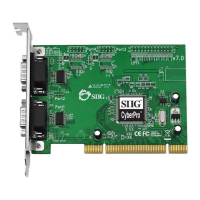
CyberSerial... port you want to change.
2. Click Settings tab and click Advanced.
3. Click the down arrow next to the COM Port
number box, select a COM port that is not
in use. Click OK.
4. Click OK, then close Device Manager to
save the changes.
Windows ME / 98SE / 98 / 95
1. From the Device Manager window double
click Ports (COM & LPT), then double click
the CyberSerial PCI serial port you want
to change.
2. Click Settings tab, click the down arrow
next to Port Name, select a COM address
not currently in use.
3. Click OK, then close Device Manager to
save the changes.


 To Next Page