③“-”: Volume down/Previous song
④ Bluetooth indicator
⑤ Power on/off & EQ button
⑥ 3.5mm jack
⑦ USB Type C charging port
⑧ Microphone
2.Product operation instructions
2.1 Power on/off
• Turn on: In power-off status, press and hold the power on button 2s, the blue light will be on
around 2 seconds,then blue and red light will blink alternately, the headphone enter into pairing
mode.
• Turn off: In power-on status, press and hold the power off button 3s, the indicator light will
goes off then.
2.2 Pairing
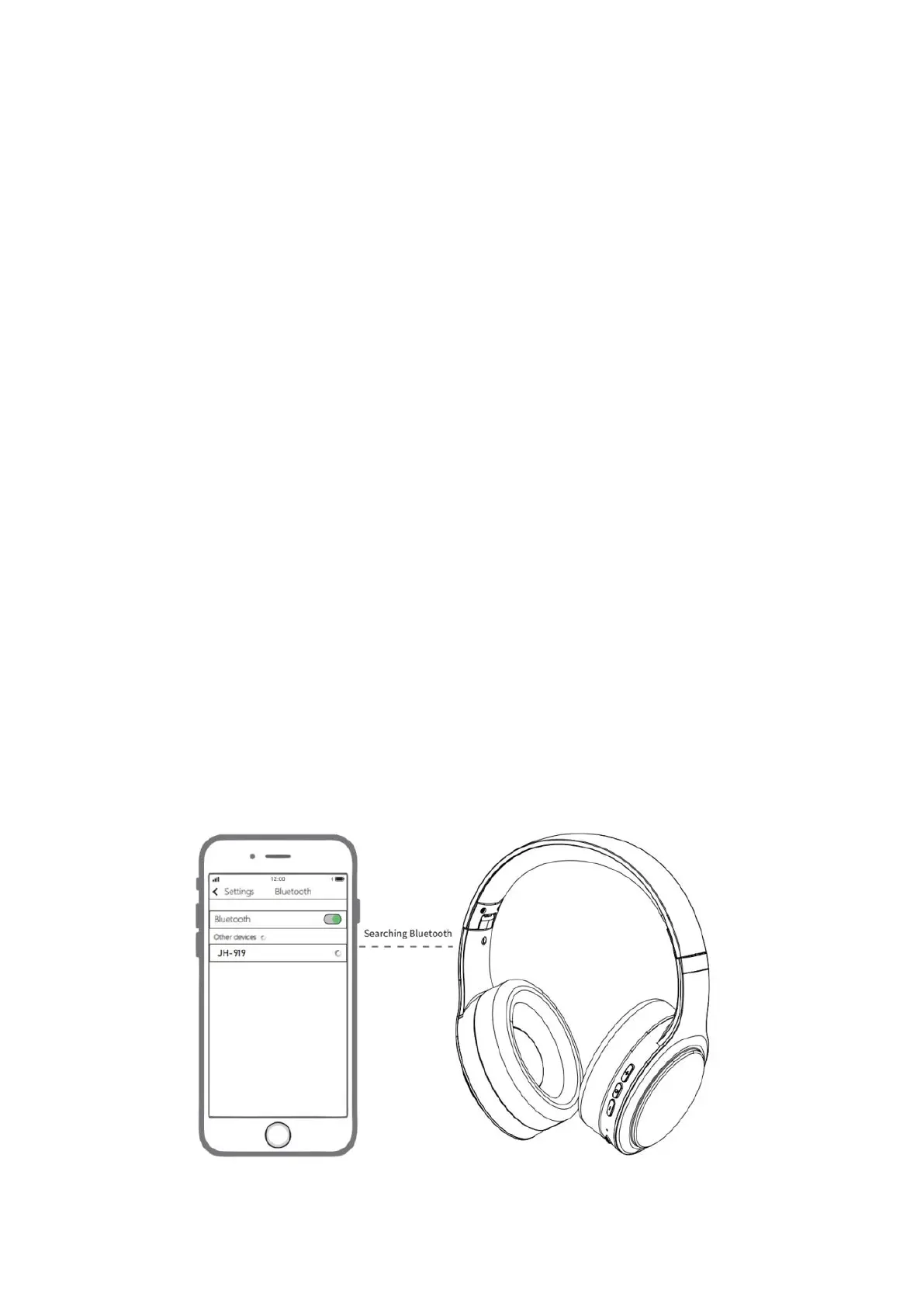
Turn on the Bluetooth switch of the mobile phone or other devices(such as PC,Tablet etc), and
enter into the Bluetooth list ,search for the pairing name “JH-919”;
When seeing the pairing name “JH-919” on the list,click it to connect the headset with your
device; Once paired successfully, the blue indicator blinks every 6 seconds.


 To Next Page