
 Need help?
Do you have a question about the Siindoo JH-919 and is the answer not in the manual?
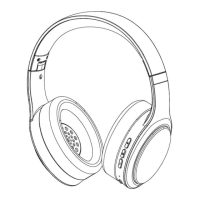
Controls volume up and skips to the next track.
Multi-Function Button for playback control and call management.
Controls volume down and skips to the previous track.
Visual indicator for Bluetooth connection status.
Controls power, on/off, and EQ mode switching.
Port for wired audio connection.
Port for charging the headphone.
Built-in microphone for calls.
Instructions for turning the headphone on and off.
Steps to pair the headphone with Bluetooth devices.
Options for selecting different Equalizer modes.
How to control music playback (play, pause, skip, volume).
Instructions for answering, ending, and rejecting calls.
Procedure to reset the headphone to factory settings.
How to activate voice assistants.
 General
| Driver Diameter | 40mm |
|---|---|
| Impedance | 32Ω |
| Frequency Response | 20Hz-20kHz |
| Battery Capacity | 400mAh |
| Microphone | Yes |
| Connectivity | Bluetooth |

 To Next Page