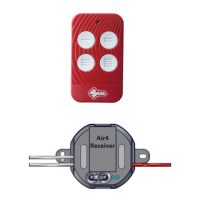
Air4 Universal Receiver
Copyright Silca S.p.A 2020. All right reserved
9
English
Changing the mode for the two Air4 Universal Receiver outputs (relay 1/relay 2) from default
mode (impulsive) to another.
• Press buon ‘S’ for ve seconds in order to enter change conguraon for the modes of the two
outputs (relay 1/relay 2); the LED relang to the output seng will ash according to the mode in
which it was programmed.
- LED ashing once: ON/OFF mode
- LED ashing twice: impulsive mode.
- LED ashing three mes: Seconds Timer mode
- LED ashing four mes: Minutes Timer mode
• Press buon ‘P’ to change mode
• To select the next output, press buon ‘S’ unl you leave the output conguraon funcon. To save
the selected sengs, always leave the conguraon mode by pressing ‘S’.
Changing the seconds or minutes mer
• Select one of the two modes to be changed (seconds mer or minutes mer).
• Press buon ‘S’ for approximately 2 seconds, the LED will ash regularly at one second intervals.
• Hold down the buon and count the number of ashes to be set as seconds or minutes (e.g. 3 ashes
equal 3 seconds/minutes).
• Having counted the number of ashes to be set, release buon ‘S’ and the change will be saved.
Understanding when the Air4 Universal Receiver memory is full
When a newly copied code does not work, LED L1 illuminates and LED L2 ashes. In this situaon,
delete a remote control no longer in use.
The Air4 Universal Receiver is compable with Air4 Home and Air4 Home Pro.



 To Next Page