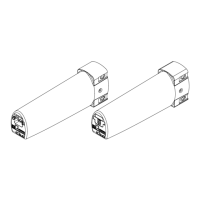
Limit Setting
If the 5600 you have ordered has been supplied in a single piece the end limits will
already be set, here if you need to adjust the limits follow the manual end stop
programming instructions.
If the 5600 you have received has been supplied in two or more parts then the limits
must be set.
Before the limits are set the follow the instructions for assembling the overlap arms
and fitting the connection bridge (see Installation and User Manual – section 9)
connecting the profile has been completed (refer to the installation and user manual),
here either method of setting the limits can be used.
The 5600 can have the limit / end stop positions can be set using one of two
methods –
1) Manual limit setting (end stop programming)
2) Automatic limit setting (end stop programming)
Procedures for these limit setting methods are listed on the following pages.


 To Next Page