EasyManua.ls Logo

Silk'n FaceFX DO105625B - User Manual

Silk'n FaceFX DO105625B
19 pages
Print Icon
To Next Page IconTo Next Page
Loading...
1
Instructions for Use
DO105625B

Questions and Answers

  • I
    ivanhuertaAug 2, 2025
    How to fix a Silk'n Personal Care Products that does not work?
    • S
      sabrinacaldwellAug 2, 2025
      If your Silk'n Clear Personal Care Product isn't working, check if the adapter is properly connected to the AC electrical outlet and the plug is connected to the applicator. If it is still not working, the applicator may be broken; in this case, contact your local Silk’n customer service center.
  • V
    Victor PerezAug 9, 2025
    What to do if the yellow system error light is lit on my Silk'n Personal Care Products?
    • B
      brittany77Aug 10, 2025
      If the yellow system error indicator light is on for your Silk'n Personal Care Product, it indicates a malfunction. Try pressing the ON/OFF switch twice to restart the device. If the error light persists, contact your local Silk’n customer service center.
  • J
    Julie HarrisonAug 16, 2025
    Why does my Silk'n Personal Care Products suddenly switch off?
    • C
      Christopher DunnAug 17, 2025
      If your Silk'n Clear Personal Care Product suddenly switches off, it might be due to an improperly connected adapter. Ensure the adapter is plugged into the AC electrical outlet and correctly connected to the applicator.
  • J
    jonathan40Aug 25, 2025
    What to do if the ready/treatment mode light doesn't turn on for Silk'n FaceFX DO105625B Personal Care Products?
    • L
      Lauren RollinsAug 25, 2025
      If the ready/treatment mode indicator light doesn't illuminate when you press the ON/OFF switch on your Silk'n Personal Care Product, the applicator may need a reset. Press the ON/OFF switch twice to turn the applicator off and on again. If the light still doesn't illuminate, contact your local Silk’n customer service center.

Summary

Before You Start

What is Silkn FaceFX?

Explains what the Silk'n FaceFX device is and its purpose for facial treatments.

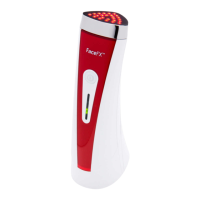
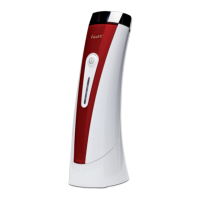
Silkn FaceFX device description

Details the components of the Silk'n FaceFX device, including the applicator and adaptor.

Package contents

Safety with Silkn FaceFX

When to avoid using Silkn FaceFX?

Lists conditions and situations where the Silk'n FaceFX should not be used.

Reducing the risk of injury

Provides guidelines to prevent harm and ensure safe operation of the device.

Possible side effects using FaceFX

Describes potential minor skin discomfort and redness that may occur after treatment.

Protect your Silkn FaceFX

Offers advice on proper storage, handling, and environmental conditions for the device.

Skin Treatment the FaceFX Way

The benefits of Silkn FaceFX

Explains the positive outcomes of using Silk'n FaceFX for facial rejuvenation.

Silkn FaceFX facial treatment areas

Identifies the typical facial areas recommended for Silk'n FaceFX treatment.

First Steps with Silkn FaceFX

Silkn FaceFX Setup

Guides the user through the initial unboxing and preparation of the device.

Plan your Silkn FaceFX treatment for best results

Initial Silkn FaceFX treatment course

Outlines the recommended treatment frequency and duration for the first month.

Silkn FaceFX maintenance regime

Specifies the recommended usage frequency for maintaining results after the initial course.

Treating with Silkn FaceFX for the First Time

What to expect when treating with Silkn FaceFX?

After treating with Silkn FaceFX

Maintenance of Silkn FaceFX

Cleaning the Silkn FaceFX

Provides instructions on how to clean the device after each use.

Storage

Details the recommended conditions and location for storing the device.

To protect the environment

Advises on proper disposal methods for the device to protect the environment.

Troubleshooting

Customer Service

Specifications

Labeling

EMC Testing Summary Results

Silk'n FaceFX DO105625B Specifications

General IconGeneral
BrandSilk'n
ModelFaceFX DO105625B
CategoryPersonal Care Products
LanguageEnglish

Related product manuals