GENERAL USE
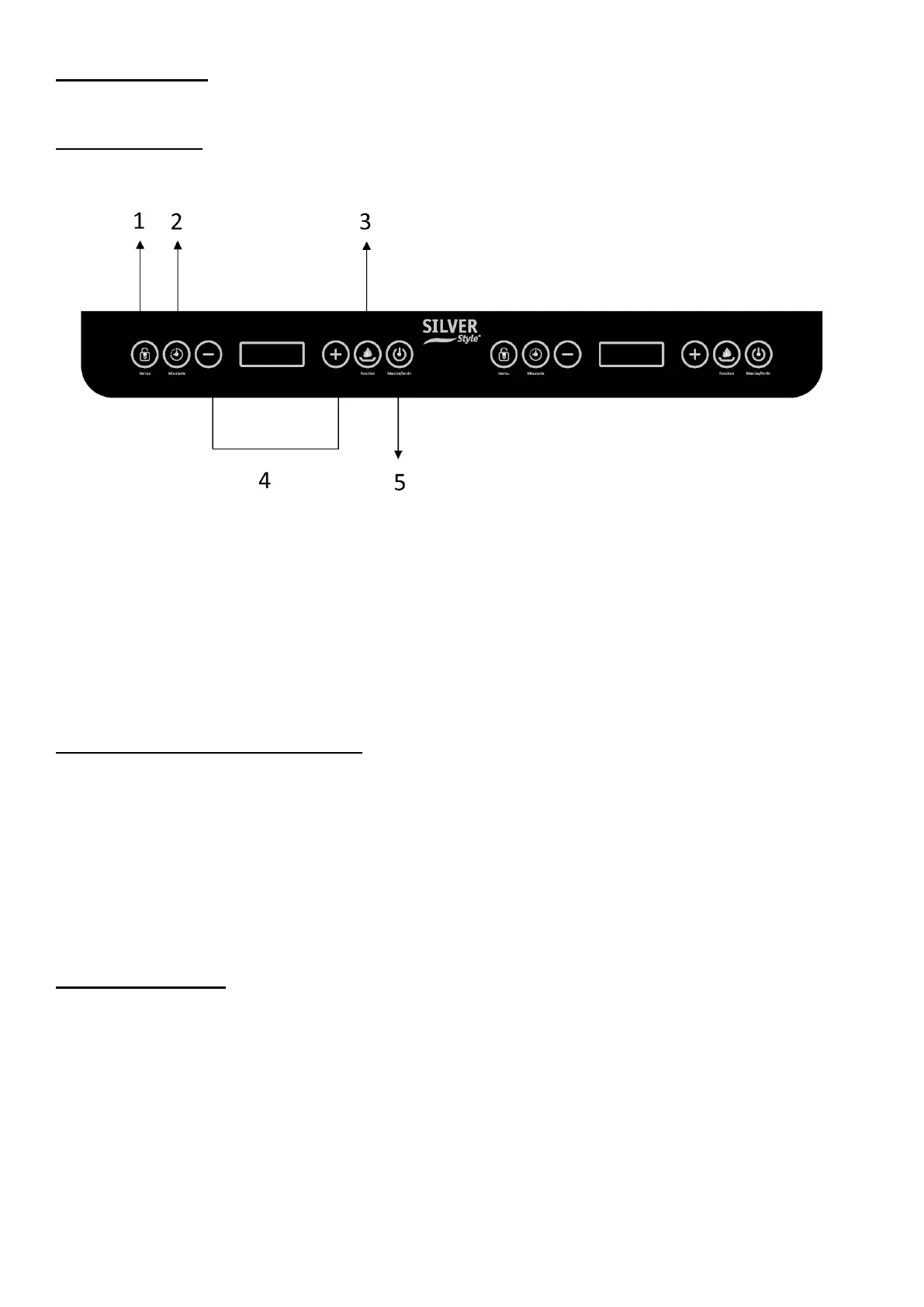
Control panel
1. Lock button (= Verrou)
2. Timer (= Minuterie)
3. Function button (=Fonction)
4. Adjustment keys (- / +) for power, temperature and timer
5. On / Off button (= Marche /Arrêt)
Switch on the induction hob
After plugging into the socket, a "beep" sounds and the LED above the On/Off button starts
flashing, the LED display shows "C" indicating that the unit is connected to a power source.
Place a suitable cooking utensil in the centre of the cooking zone. Press the ON/OFF (
=Marche/Arrêt ) key once, the LED screen will display the word 'ON', and the indicator above
On/Off (= Marche/Arrêt) remains lit. Press the corresponding function keys to start. To stop the
induction hob and switch to standby mode by pressing the On/Off (= Marche/ Arrêt) button
after cooking.
Cooking mode :
1. Power (left and right) : Press the Function (= Fonction) key once, 1600 will appear on
the left representing the default power and 1300 on the right representing the default power.
It can be adjusted by pressing +/- to set the desired power. There are 10 power levels for the
left burner in total (200,400,600,800,1000,1200,1400,1600,1800,2000W), and there are 8
power levels for the right burner in total (200,400,600,800,1000,1200,1300,1500W). To cancel
this mode, press the Function button ( = Fonction) to switch to other functions or the On/Off
button ( = Marche/ Arrêt) to stop.
2. Temperature (left and right): Press the Function button ( = Fonction) twice, both
displays will indicate 180°C, representing the default temperature. It can be adjusted by


 To Next Page