22
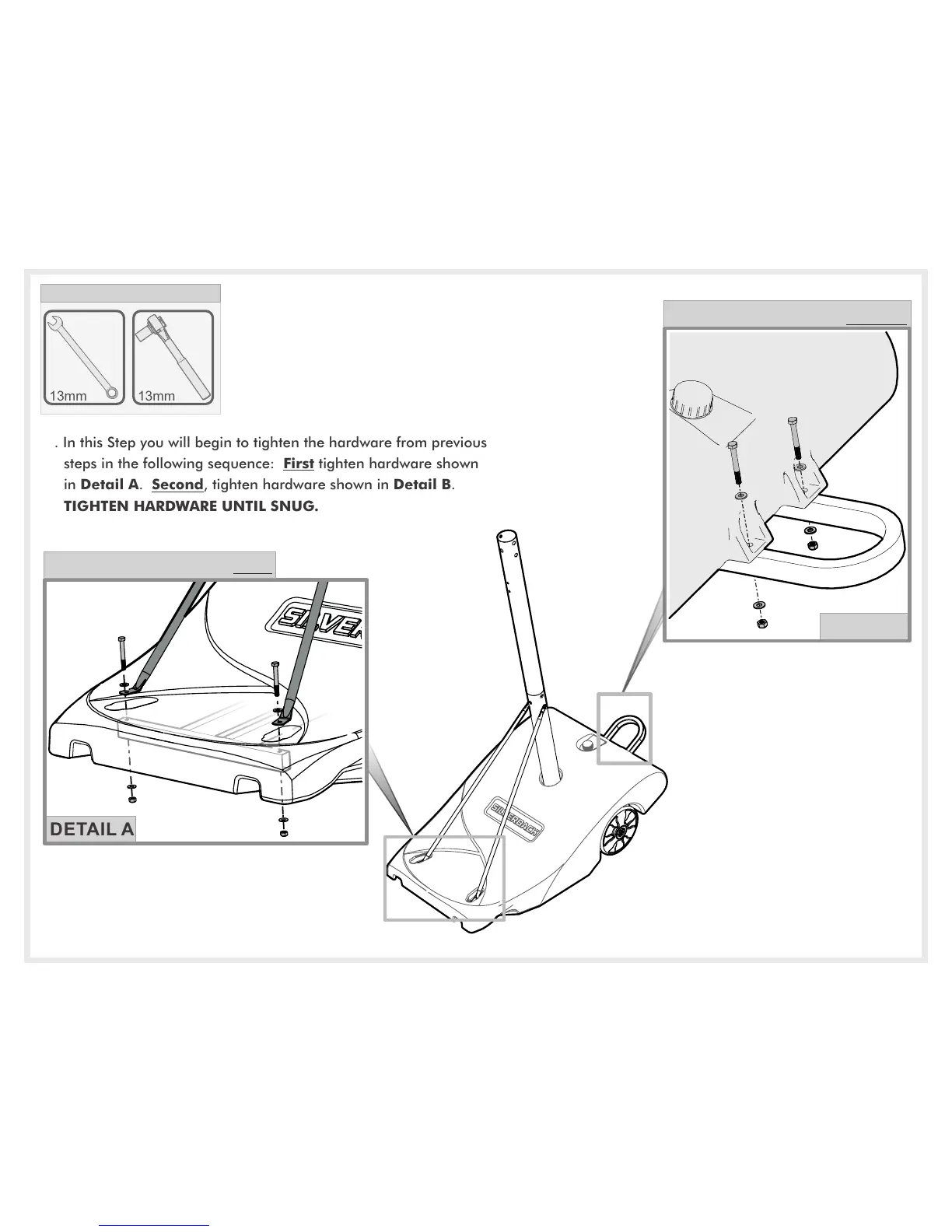
17. In this Step you will begin to tighten the hardware from previous
steps in the following sequence: First tighten hardware shown
in Detail A. Second, tighten hardware shown in Detail B.
TIGHTEN HARDWARE UNTIL SNUG.
13mm
TOOLS NEEDED
13mm
DETAIL B
TIGHTEN THIS HARDWARE SECOND.
DETAIL A
TIGHTEN THIS HARDWARE FIRST.



 To Next Page