10 GB/IE/NI
Other functions
C
On, Off
D
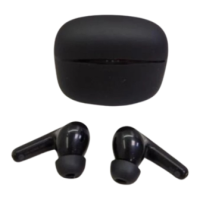
Press once on multi-function button on charging case
and LED light will light up to display battery capacity for
10seconds.
E
Pairing the headphones with a
Bluetooth device
On your Bluetooth device, search for the device
named STSKE1A1 and pair with the device.
– If your Bluetooth device prompts you to enter a
password, enter 0000.
F
Press and hold for 3seconds on multi-function button on
charging case, this can enable the earphone Bluetooth
pairing function. And you can now pairing smartphone
to earphone.
G
Press and hold for 3seconds on multi-function button on
charging case, this can disconnect Bluetooth connection
of earphone to smartphone.
H
Calling functions
I
Playback function








 To Next Page