EasyManua.ls Logo

Silvercrest SKBT 3 A1 - User Manual

Silvercrest SKBT 3 A1
15 pages
Print Icon
To Next Page IconTo Next Page
Loading...
BLUETOOTH
®
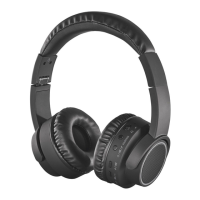
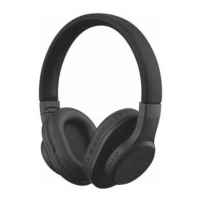
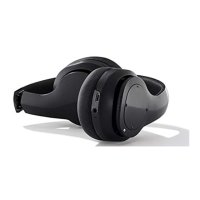
HEADPHONES SKBT|3|A1
IAN 297459
BLUETOOTH
®
HEADPHONES
Operating instructions
GB
IE
NI
CY
GB
IE
NI
CY

Questions and Answers

  • S
    smithrobertAug 3, 2025
    Why is my Silvercrest SKBT 3 A1 Headphone not connecting via Bluetooth?
    • M
      Matthew ColeAug 3, 2025
      If your Silvercrest Headphone is not establishing a Bluetooth connection, ensure that the Bluetooth function on your audio device is active. Also, check if you accidentally switched off the headphone and turn it on. Finally, make sure there isn't a plug inserted in the jack socket; if so, remove it.
  • G
    Gina CaldwellAug 13, 2025
    How to fix a Silvercrest SKBT 3 A1 with no function?
    • J
      John MatthewsAug 14, 2025
      If your Silvercrest Headphone has no function, it might be due to an empty battery or the device switching off automatically. In this case, charge the battery or turn on the device.
  • D
    Denise CameronAug 23, 2025
    What to do if music cannot be played via Bluetooth on Silvercrest Headphone?
    • K
      Karen GlennAug 23, 2025
      If you're unable to play music via Bluetooth on your Silvercrest Headphone, first, make sure you press the play button. Also, check if the volume is set too low and increase it. Finally, verify that there is no plug in the jack socket; if there is, remove it.

Summary

Safety Instructions and Warnings

General Safety Precautions

Covers child safety, pets, traffic awareness, pacemakers, hearing, and battery handling.

Items Supplied with Headphones

Initial Setup and Charging

Charging the Battery

Step-by-step guide on how to charge the device's battery using a USB power unit.

Headphone Controls and Functions

Button Functions Overview

Details the functions of each button (play/pause, volume, next/previous song, call handling).

Bluetooth Connectivity

Pairing and Establishing Connection

Step-by-step instructions on how to pair the headphones with an audio device via Bluetooth.

Audio Playback and Call Management

Usage and Maintenance

Troubleshooting Common Issues

Technical Specifications

Warranty Information

Silvercrest SKBT 3 A1 Specifications

General IconGeneral
BrandSilvercrest
ModelSKBT 3 A1
ConnectivityWireless
Impedance32 Ohm
Frequency Response20 Hz - 20 kHz
Charging Time2 hours
FeaturesBuilt-in microphone, Volume control
DesignFoldable
WirelessYes
Driver Size40 mm
MicrophoneYes
ColorBlack
TypeHeadphone

Related product manuals