EasyManua.ls Logo

Silvercrest KH2150 - User Manual

Silvercrest KH2150
38 pages
Print Icon
To Next Page IconTo Next Page
Loading...
KOMPERNASS GMBH · BURGSTRASSE 21 ·
D-44867 BOCHUM
www.kompernass.com
ID-Nr.: KH2150-07/08-V1
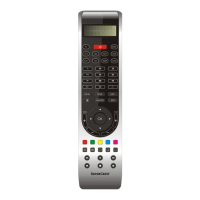
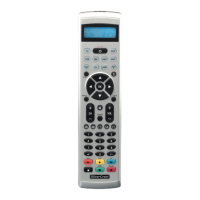
KH2150
UNIVERSAL
REMOTE CONTROL
3BC
UNIVERSAL REMOTE CONTROL
Operating instructions
CV_KH2150_JOE23594_LB3bcI.qxd 05.08.2008 16:53 Uhr Seite 1

Questions and Answers

  • S
    steventaylorJul 30, 2025
    Why is my Silvercrest KH2150 not responding?
    • D
      Debra RodriguezJul 30, 2025
      If your Silvercrest Universal Remote control isn't responding, there might be a few reasons: * The device (like your TV) could be defective. Test it with its original remote. * The batteries might be incorrectly inserted. Make sure they're in with the correct polarity. * The batteries may be dead. Try inserting new batteries.
  • K
    Kristin DavilaAug 5, 2025
    What to do if Silvercrest KH2150 Universal Remote only partially reacts to a button press?
    • C
      Craig BrowningAug 5, 2025
      If your Silvercrest Universal Remote only partially reacts when you press a button, it could be due to an incorrect device code. Try entering a different device code for your device's manufacturer. If that doesn't work, try searching for the correct device code using the AUTOSEARCH function.
  • B
    berglauraAug 11, 2025
    How to fix buttons of an original remote control that cannot be learned on Silvercrest Universal Remote?
    • A
      Andrew ReidAug 11, 2025
      If the buttons on your original remote control cannot be learned by the Silvercrest Universal Remote, the distance between the two remotes might be off. Try changing the distance between the remotes. Also, ensure that the button on your original remote is working by checking if the device responds when you press it.
  • E
    Erika HarveyAug 17, 2025
    Why Silvercrest Universal Remote device codes are not saved?
    • R
      Robert JohnsonAug 17, 2025
      If your Silvercrest Universal Remote isn't saving device codes, the batteries might be dead. Try inserting new batteries.
  • A
    Andre HobbsAug 25, 2025
    What to do if LCD display is dim on Silvercrest Universal Remote?
    • M
      michaelbernardAug 25, 2025
      If the LCD display on your Silvercrest Universal Remote is dim, the batteries might be dead. Try inserting new batteries.

Summary

Safety

Proper Use and Battery Safety

Covers safe usage, battery handling, and laser safety precautions.

Appliance Overview

Component Identification

Lists and describes all physical parts of the remote control.

First Use

Unpacking and Battery Installation

Steps for unpacking the remote and inserting batteries correctly.

Operating Elements

LCD Display Details

Explanation of the LCD display fields, symbols, and standard display.

Button Functions: Device and Special Controls

Details on device selection, ALL OFF, S, MENU, EXIT, and EPG buttons.

Button Functions: Navigation and Macros

Explanation of arrow, OK, EXIT, speaker, VOL, and MACRO buttons.

Button Functions: Media and Input Controls

Covers video text buttons, number buttons, and playback/AV controls.

System Setup

System Settings Overview

Introduces configurable system settings like volume, time, date, and backlight.

Volume Control Setup

Guides through setting up volume control for specific devices or a master device.

Volume and Mute Settings

Details on setting and resetting volume/mute preferences for devices.

Time Setup

Instructions for setting the time format and current time.

Date Setup

Steps to set the year, month, date, and day of the week.

Backlight and System Reset

Configuration for LCD backlight time and resetting system settings to defaults.

Code Setup

Device Code Entry Methods

Explains methods like LIST, ENTER, SEARCH, and BRAND codes.

Listing Device Codes

Procedure to select device codes from the remote's internal list.

Entering Device Codes

How to manually enter known device codes from a manual.

Automatic Device Code Search

Steps for the remote to automatically find a device code.

Manual Device Code Search

Manually searching for device codes within the remote's internal list.

Manufacturer Code Selection

How to select device codes based on the manufacturer.

Combination Device and Code Display

Handling codes for combined devices and displaying current codes.

Timer Setup

TV Sleep Timer Setup

How to program the automatic TV switch-off timer.

Clearing TV Sleep Timer

Steps to deactivate the TV sleep timer function.

Setting Specific Timers

Programming up to four individual timers with button sequences.

Clearing Specific Timers

Steps to clear individual programmed timers.

Learn Setup

Learning Functions Overview

Introduction to learning remote control signals from original remotes.

Learning Remote Control Buttons

Detailed process for teaching the remote new button signals.

Clearing Learned Buttons

How to clear learned buttons for a single device or all devices.

Macro Setup

Macro Programming

Instructions for saving sequences of button presses as macros.

Playing Back and Clearing Macros

How to execute saved macros and how to delete them.

Maintenance and Cleaning

Battery Care and Cleaning

Guidelines for battery replacement and cleaning the remote control.

Disposal

Product and Battery Disposal

Information on environmentally friendly disposal of the device and batteries.

Troubleshooting

Common Problems and Solutions

Table detailing common issues and their resolutions.

Technical Data

Specifications and Manufacturer Codes

Technical specifications and a list of manufacturer codes for device setup.

Personal Settings Tables

Macro and Device Code Logs

Blank tables for users to record personal macro and device code settings.

Conformity and Importer

Compliance and Company Information

Details on CE mark compliance and importer information.

Warranty and Service

Warranty Terms and Service Contact

Information on the 3-year warranty, exclusions, and how to contact service.

Silvercrest KH2150 Specifications

General IconGeneral
Device TypeUniversal Remote
BrandSilverCrest
ModelKH2150
Power SourceBattery
Number of Devices4
CompatibilityTV, DVD
Battery Type2 x AAA
Infrared Range8 meters

Related product manuals