44 GB/IE
NOTE:
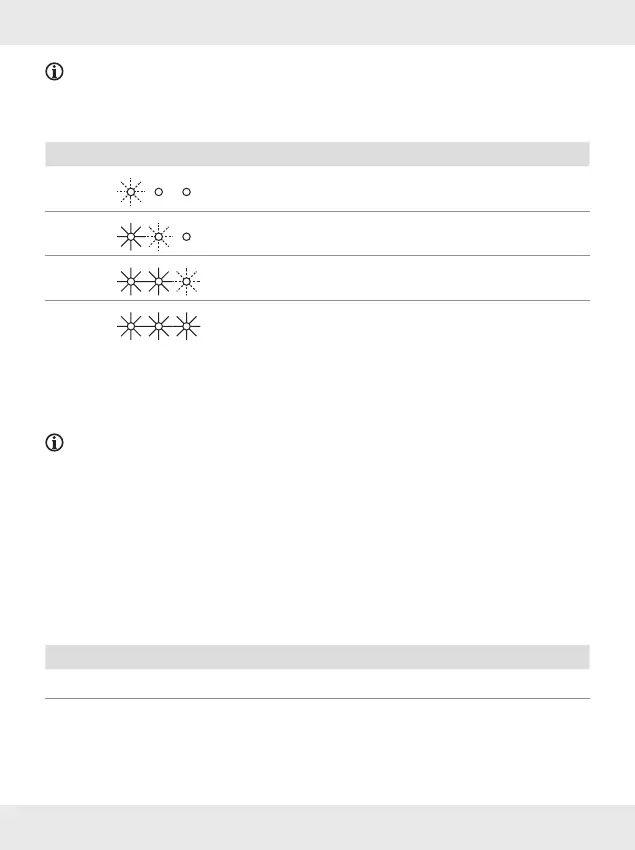
The charge status is shown via the charging box status indicator [9] on the
charging/storage box[6]:
LEDs Battery charge status
approx. < 30 %
approx.< 60 %
approx.< 100 %
100 %
Charging the headphones
Before first use, the headphones must also be charged.
NOTES:
The headphones [1] and the charging/storage box [6] can be charged
simultaneously.
The headphones only fit into one of the charging ports [7] respectively.
Insert the headphones in the charging ports [7] of the charging/storage
box [6].
Charging begins automatically.
The headphones charging status indicator LEDs [8] of the headphones [1]
show the current status.
LED Status
White Charging
Off Fully charged











 To Next Page