EasyManua.ls Logo

Silvercrest SULS 5 A1 - User Manual

Silvercrest SULS 5 A1
24 pages
Print Icon
To Next Page IconTo Next Page
Loading...
IAN 289485
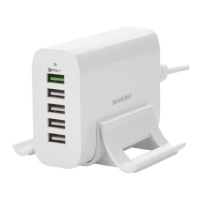
USB CHARGER SULS 5 A1
USB CHARGER
Operating instructions
USB-LADESTATION
Bedienungsanleitung

Questions and Answers

  • J
    Jade SmithAug 11, 2025
    Why is my Samsung device charging slowly with Silvercrest SULS 5 A1?
    • T
      Terry ThompsonAug 11, 2025
      If the operating LED illuminates blue, but a connected Samsung mobile device is not charging or is charging very slowly, connect the Samsung mobile device to the lowest USB socket. This socket is equipped with auto-detection for Samsung mobile devices, which enables or speeds up charging.
  • J
    Jay PerezAug 21, 2025
    What to do if Silvercrest SULS 5 A1 Battery Charger USB is overloaded?
    • M
      Megan VillegasAug 21, 2025
      If the operating LED is blinking blue, it indicates that the USB charger is overloaded. To resolve this, disconnect all connected devices one after the other until the operating LED illuminates continuously blue again.
  • R
    Ricky SanchezSep 1, 2025
    How to fix Silvercrest SULS 5 A1 not working?
    • T
      tommy43Sep 1, 2025
      If the USB charger is not displaying any function or the operating LED is not illuminating blue, ensure the USB charger's mains plug is plugged into a properly installed mains power socket. Also, check your house fuses.

Silvercrest SULS 5 A1 Specifications

General IconGeneral
Input voltage100-240 V
Input frequency50/60 Hz
Output voltage1.2 V / 9 V
Charging current AAA200 mA
Battery sizeAAA, AA, 9V
FeaturesAutomatic shut-off, LED indicators
Battery typeNiMH
Number of charging slots4x AAA/AA, 1x 9V

Related product manuals