EasyManua.ls Logo

Silverline Power Series - User Manual

Silverline Power Series
28 pages
Print Icon
To Next Page IconTo Next Page
Loading...
845318
www.silverlinetools.com
®
www.silverlinetools.com
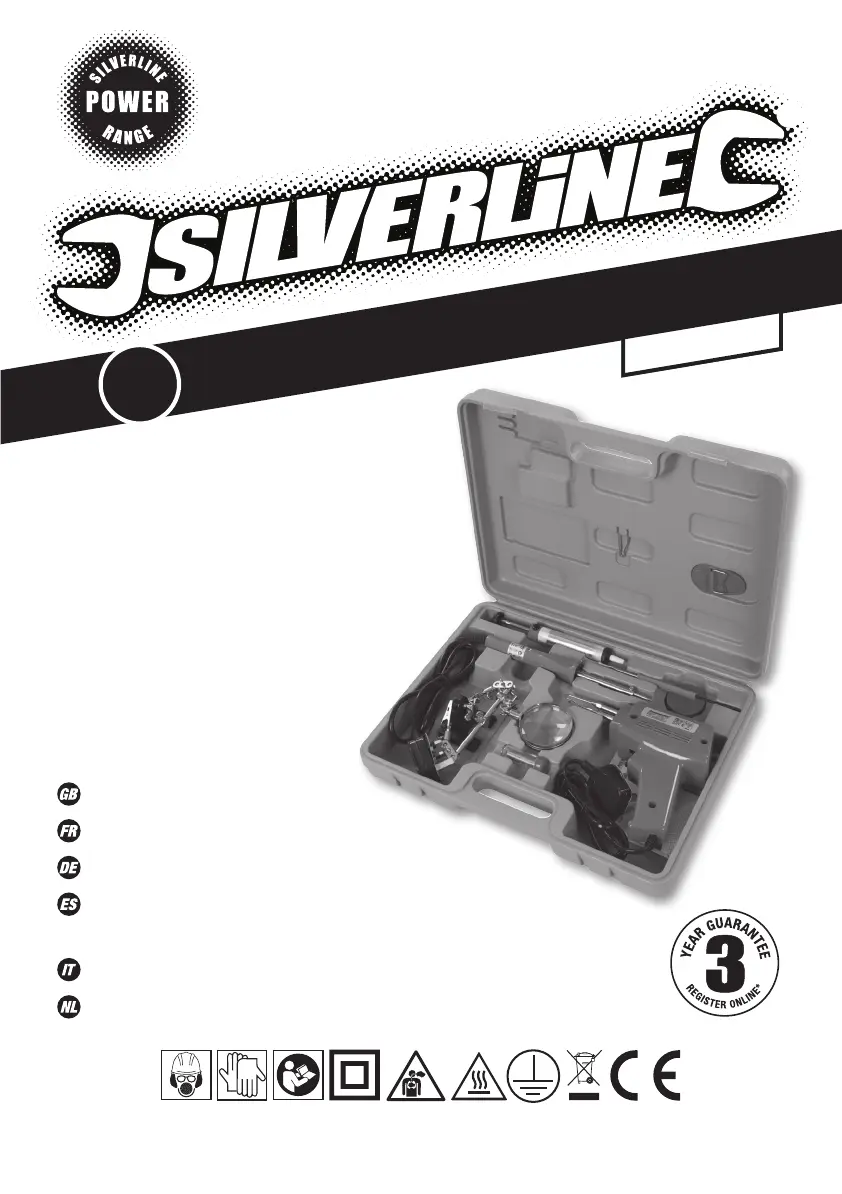
Electric Soldering Kit
100W/30W100W/30W
9pce Electric Soldering Kit
Mallette de pistolet à souder 9pcs
Elektrische Lötkolben, 9-tlg. Satz
Herramientas para soldadura
eléctrica 9 pzas
Kit di saldatura elettrico 9pz
9-delige elektrische soldeerkit
9
PCE
Version date: 22.08.16
845318_Z1MANPRO1.indd 2 22/08/2016 15:41

Questions and Answers

  • J
    Jeremy RuizJul 28, 2025
    What to do if my Silverline Inverter will not operate?
    • C
      Clayton GregoryJul 28, 2025
      If your Silverline Inverter isn't working, here's what you can check: * **Low battery voltage:** Charge or replace the battery. * **Thermal shutdown:** Allow the inverter to cool down before turning it back on. * **Loose connection:** Ensure the 12V lead is properly connected. * **Blown fuse:** Have the inverter serviced at an authorized service center.
  • J
    Juan WolfeAug 3, 2025
    Why is the low voltage alarm on continuously on my Silverline Inverter?
    • J
      Jesse RiddleAug 3, 2025
      A continuous low voltage alarm on your Silverline Inverter may be due to: * **Poor electrical connections:** Inspect and clean all electrical connections. * **Inadequate power supply:** Verify the 12V system capacity.
  • D
    Daniel WilliamsAug 9, 2025
    What to do if my electrical appliance will not operate with Silverline Power Inverter?
    • E
      Elizabeth MccoyAug 9, 2025
      If your electrical appliance isn't working with the Silverline Inverter, it might be because the appliance's starting load is too high. Try reducing the load on the inverter.
  • D
    dgardnerAug 15, 2025
    Why is the output voltage low on my Silverline Power Inverter?
    • P
      phillipsjohnAug 15, 2025
      A low output voltage from your Silverline Inverter can occur due to: an overloaded inverter (reduce the load); or an input voltage below 11V (charge or replace the battery).
  • A
    Andrea HuntAug 21, 2025
    How to reduce television/stereo interference from Silverline Power Inverter?
    • M
      Michael RichardsonAug 21, 2025
      To minimize television or stereo interference from your Silverline Inverter: * **Proximity:** Move the inverter or aerial further apart. * **Cable Shielding:** Use a shielded aerial cable.

Summary

Description of Symbols

Wear hearing protection

Symbol indicating the need to wear hearing protection during operation.

Wear eye protection

Symbol indicating the need to wear eye protection during operation.

Wear breathing protection

Symbol indicating the need to wear breathing protection.

Wear head protection

Symbol indicating the need to wear head protection.

Wear hand protection

Symbol indicating the need to wear hand protection.

Read instruction manual

Symbol indicating that the instruction manual should be read.

Double insulated for additional protection

Symbol for double insulated electrical equipment.

This product emits poisonous fume

Symbol indicating the product emits poisonous fumes.

Be aware of hot surfaces

Symbol indicating caution for hot surfaces.

Class I construction (Protective earth)

Symbol for Class I electrical construction with protective earth.

Conforms to relevant legislation and safety standards

Symbol indicating conformity with relevant legislation and safety standards.

Environmental Protection

Symbol for environmental protection and proper disposal of electrical waste.

General Power Tool Safety Warnings

Work Area Safety

Guidelines for maintaining a safe and well-lit work environment.

Electrical Safety

Precautions related to electrical connections and usage to prevent shock.

Personal Safety

Instructions for user alertness, protective equipment, and preventing accidental starts.

Specification

Soldering Gun Specification

Technical details for the soldering gun, including voltage, frequency, power, and protection class.

Soldering Iron Specification

Technical details for the soldering iron, including voltage, frequency, power, and protection class.

Soldering Safety

Hot Tool Precautions

Warning about the high temperatures of soldering tools and avoiding contact with hot parts.

Ventilation and Fumes

Advice on ensuring adequate ventilation and handling toxic fumes from solder.

Material Handling and Disposal

Guidance on responsible disposal of waste materials and handling lead-based solder.

Power Tool Use & Care

Proper Tool Usage

Instructions on using the correct tool for the job and avoiding misuse.

Maintenance and Storage

Guidelines for maintaining power tools and storing them safely out of reach.

Product Familiarisation

Soldering Iron Components

Identification of parts for the soldering iron.

Soldering Gun Components

Identification of parts for the soldering gun.

Solder Sucker Components

Identification of parts for the solder sucker.

Operating Instructions

Soldering Iron Operation

Step-by-step guide for using the soldering iron.

Soldering Gun Operation

Step-by-step guide for using the soldering gun.

Solder Sucker Operation

Instructions on how to use the solder sucker to remove excess solder.

Maintenance

Tip Replacement

Procedure for safely replacing the soldering tip.

Cleaning Instructions

Guidelines for cleaning the soldering kit components.

Disposal

Waste Electrical Equipment Disposal

Information on the proper disposal of waste electrical and electronic equipment.

Silverline Tools Guarantee

Guarantee Registration

Instructions on how to register the product for the 3-year guarantee.

Terms & Conditions

Details of the terms and conditions applicable to the product guarantee.

Battery Guarantee

Specific guarantee terms for the product's battery.

CE Declaration of Conformity

Conformity Standards

List of directives and standards the product conforms to.

Silverline Power Series Specifications

General IconGeneral
Frequency50Hz / 60Hz
Power Output1000W
Input Voltage12V DC, 24V DC, 48V DC
Output Voltage220V AC
ProtectionOverload, Over Voltage, Low Voltage, Over Temperature, Short Circuit

Related product manuals