Section 3:
Reminders and Missed
Staff Checks
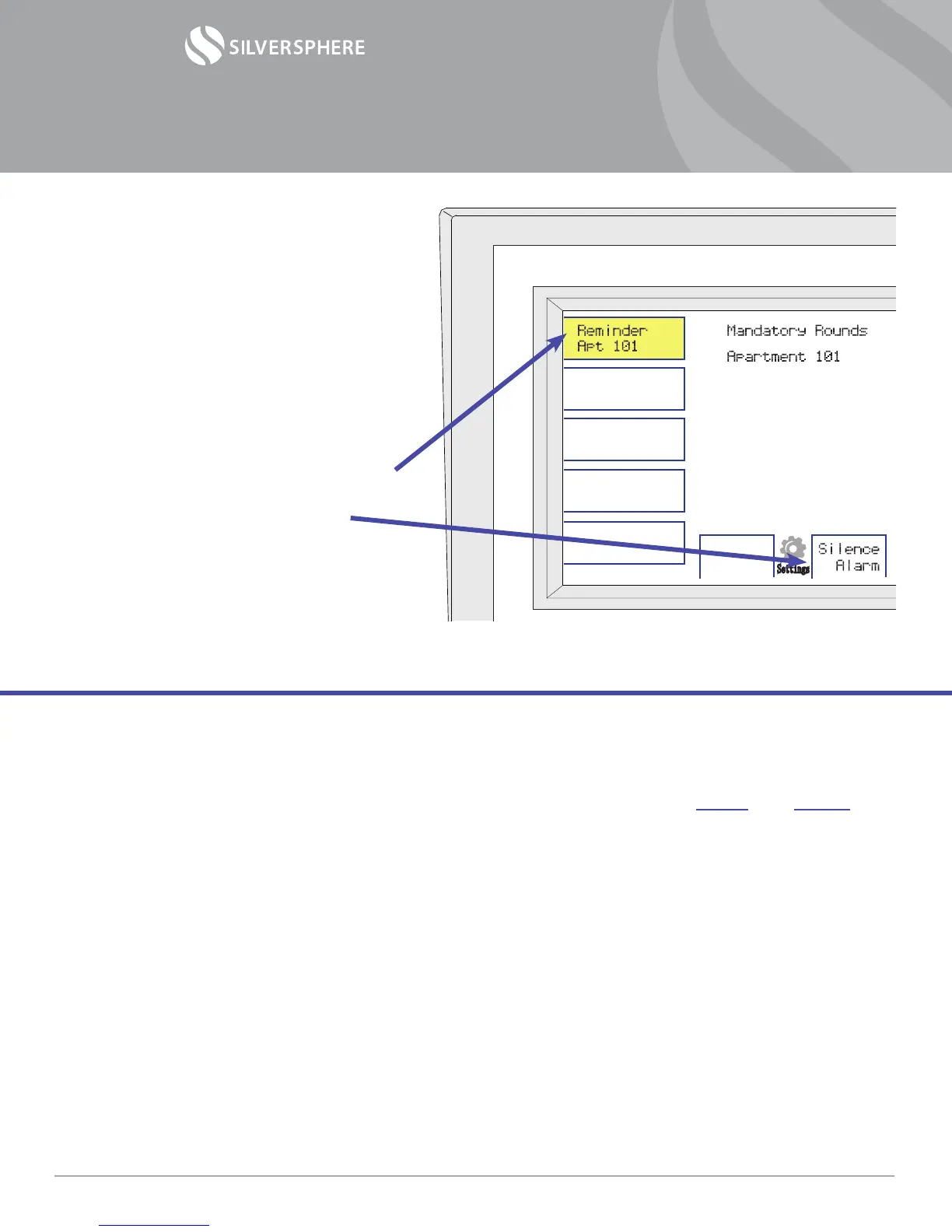
If a room is missed during mandatory
rounds, you will see the alert “Reminder”
coupled with a room number appear
automatically on your console. This may also
create an audible alarm.
1) Silence the alarm by gently pressing
on the yellow alarm box, then pressing
“Silence Alarm” in the center
2) Go to the resident’s room and perform
the exact same steps as outlined in
Section 2: Performing Staff Checks.*
Settings
Each community has its own specic Staff Check schedule. For your own reference, write in your
community’s Staff Check schedule below.
1
st
Staff Check period: between ______ and ______ ( Example: between 10 PM and 11 PM )
2
nd
Staff Check period: between ______ and ______
3
rd
Staff Check period: between ______ and ______
4
th
Staff Check period: between ______ and ______
5
th
Staff Check period: between ______ and ______
6
th
Staff Check period: between ______ and ______
7
th
Staff Check period: between ______ and ______
8
th
Staff Check period: between ______ and ______
9
th
Staff Check period: between ______ and ______
10
th
Staff Check period: between ______ and ______
11
th
Staff Check period: between ______ and ______
12
th
Staff Check period: between ______ and ______
* “Reminder” alerts are cleared manually from
the console.
Operational Manual— Staff Check w/ Select Disable
©2014 Silversphere - Doc.SCSD.0214
Page 4



 To Previous Page
 Loading...