
 Need help?
Do you have a question about the SilverStone ECS07 and is the answer not in the manual?
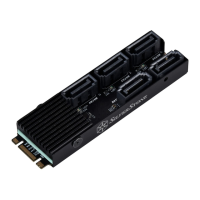
Connect the SATA cable to the ECS07 device.
Install the ECS07 into the motherboard's PCIe M.2 slot.
Connect the SATA cable to the base of ECS07 or the hard drive.
 General
| Model | ECS07 |
|---|---|
| Material | Aluminum |
| Color | Black |
| Drive Support | 2.5" SATA HDD/SSD |
| Application | 2.5" SATA HDD/SSD |
| Operating system support | Windows |



 To Next Page