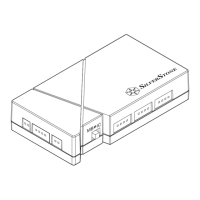
DIY Parts LSB02-E
7
Installation guide
將感溫線材前端黏貼至具有明顯熱度變化之硬體表面
温度センサケーブルの前側を、ご使用のハードウェアで最も
高温が予想される部分に貼り付けます
Закрепите переднюю часть кабеля температурного датчика
на поверхность вашего оборудования, имеющего
наибольший возможный нагрев
将感温线材前端黏贴至具有明显热度变化之硬件表面
열 센서 케이블의 전면을 온도 변화가 가장 클 것으로 예상되는
하드웨어 표면에 고정합니다
Attaccare il lato anteriore del cavo del sensore termico sulla
superficie dell'hardware desiderato con potenziale per la
massima variazione di temperatura
Stick the front side of the thermal sensor cable on the
surface of hardware of your choice that has potential for
biggest temperature change
Vorderseite des Temperatursensorkabels an die Oberfläche
der gewünschten Hardware mit der potenziell größten
Temperaturänderung kleben
Collez la partie avant du câble du capteur thermique sur la
surface du matériel de votre choix, présentantpotentiellement
la variation de température la plus importante
Pegue el lado frontal del cable sensor térmico a la superficie
del hardware de su elección que en potencia tenga el mayor
cambio de temperatura
Step 6



 To Next Page