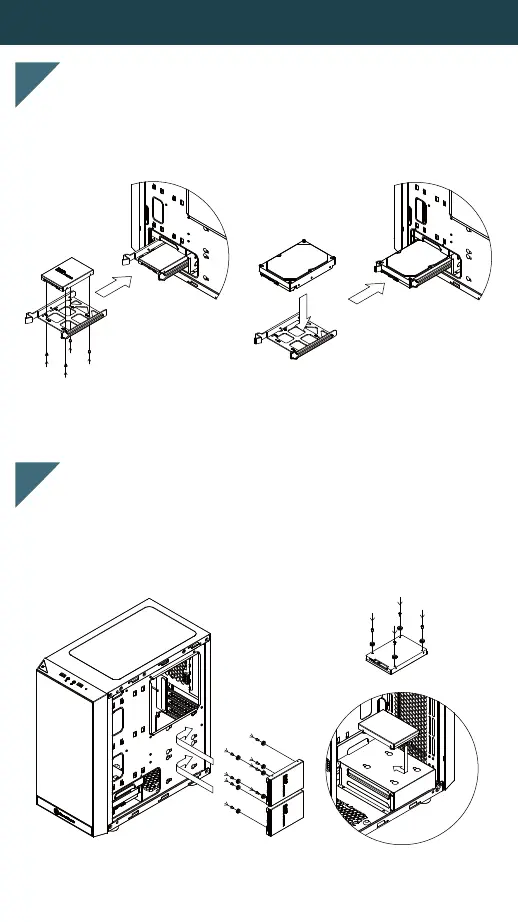
2.5" / 3.5" DRIVE INSTALLATION GUIDE
Install 2.5” drive screws and anti-vibration pads onto the
bottom of 2.5” drive, and then install the assembled drive
on top of the 3.5” drive bracket or on the motherboard bracket.
2
Install the 3.5"/2.5" hard drive into the 3.5” drive bracket,
and then slide the whole 3.5” bracket into the chassis.
1






 To Next Page