RAID
Mobile Series MS08
12
RAID Function
Mode Description
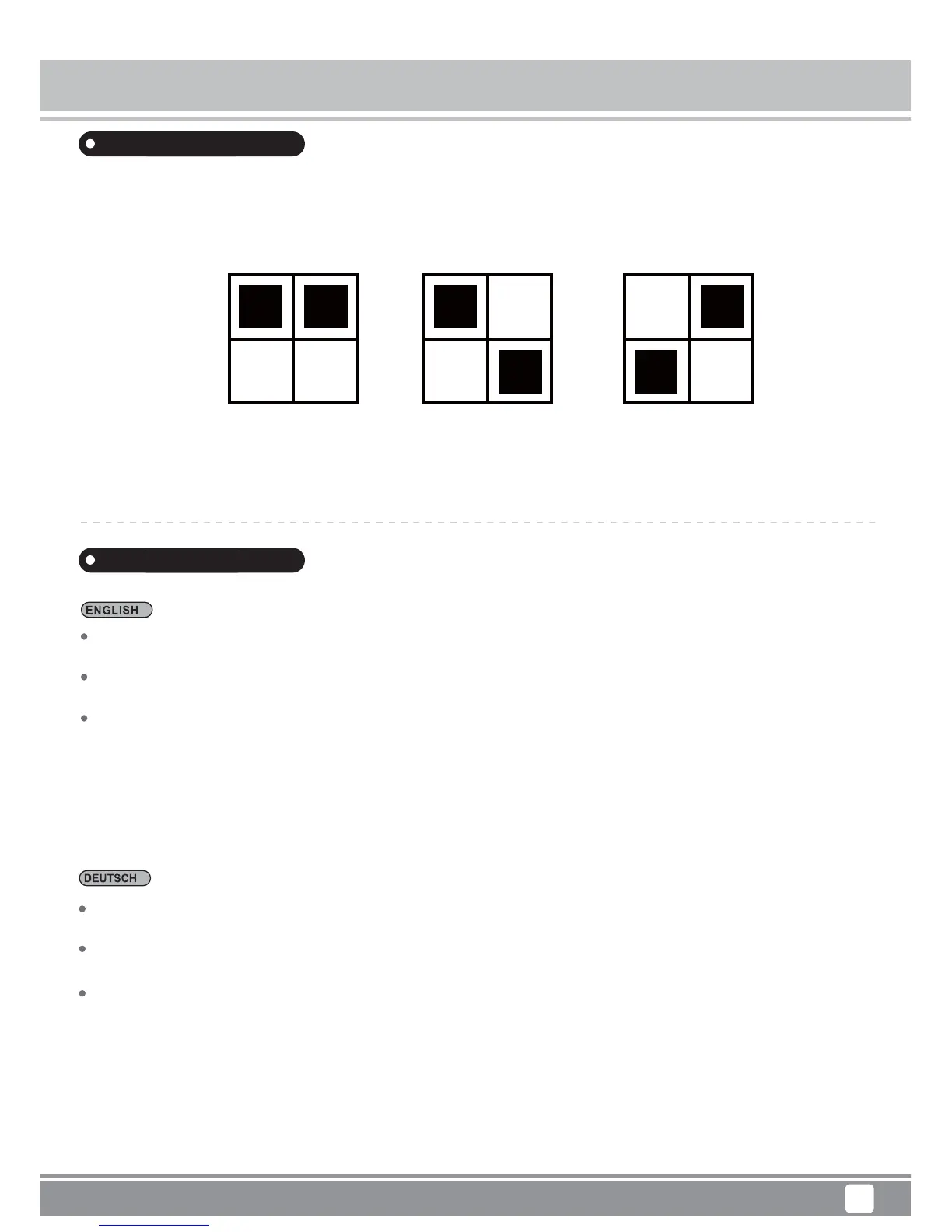
JBOD Mode: Shows up in operating system as one drive, but the capacity equals to the total
capacities of both installed drives.
Raid 0 Mode: Data is separated and saved onto two installed drives. Capacity equals to twice the
amount of the smaller drive.
Raid 1 Mode: Duplicates data across both drives, providing full redundancy.Two drives store exactly
the same data, at the same time, and at all times. Capacity equals to that of the smaller drive.
**When you select a different mode, Under the conditions of power on: press “Confirm button for”
5 second” and then the mode can be switched completely. After the mode switch, go to Disc Manage-
ment in the operating system to initialize the corresponding disk, partition, format, etc.
JBOD-Modus: Erscheint im Betriebssystem als ein Laufwerk, doch die Kapazität entspricht der
Summe der Kapazitäten beider installierten Laufwerke.
RAID 0-Modus: Daten werden auf zwei installierte Laufwerke aufgeteilt und gespeichert. Die
Kapazität entspricht dem Doppelten der Kapazität des kleineren Laufwerks.
RAID 1-Modus: Dupliziert Daten zwischen beiden Laufwerken, bietet vollständige Redundanz.Beide
Laufwerke speichern immer und gleichzeitig exakt dieselben Daten. Die Kapazität entspricht der
Kapazität des kleineren Laufwerks.
**Wenn Sie im eingeschalteten Zustand auf einen anderen Modus umschalten: Drücken Sie die
Bestätigungstaste 5 Sekunden lang; der Moduswechsel ist abgeschlossen. Rufen Sie nach dem
Moduswechsel die Datenträgerverwaltung im Betriebssystem auf und initialisieren, partitionieren und
formatieren Sie das entsprechende Laufwerk etc.
Raid 0 Raid 1 JBOD
1 2 1 2 1 2



 To Next Page