#
6
7
USING THE APPLIANCE
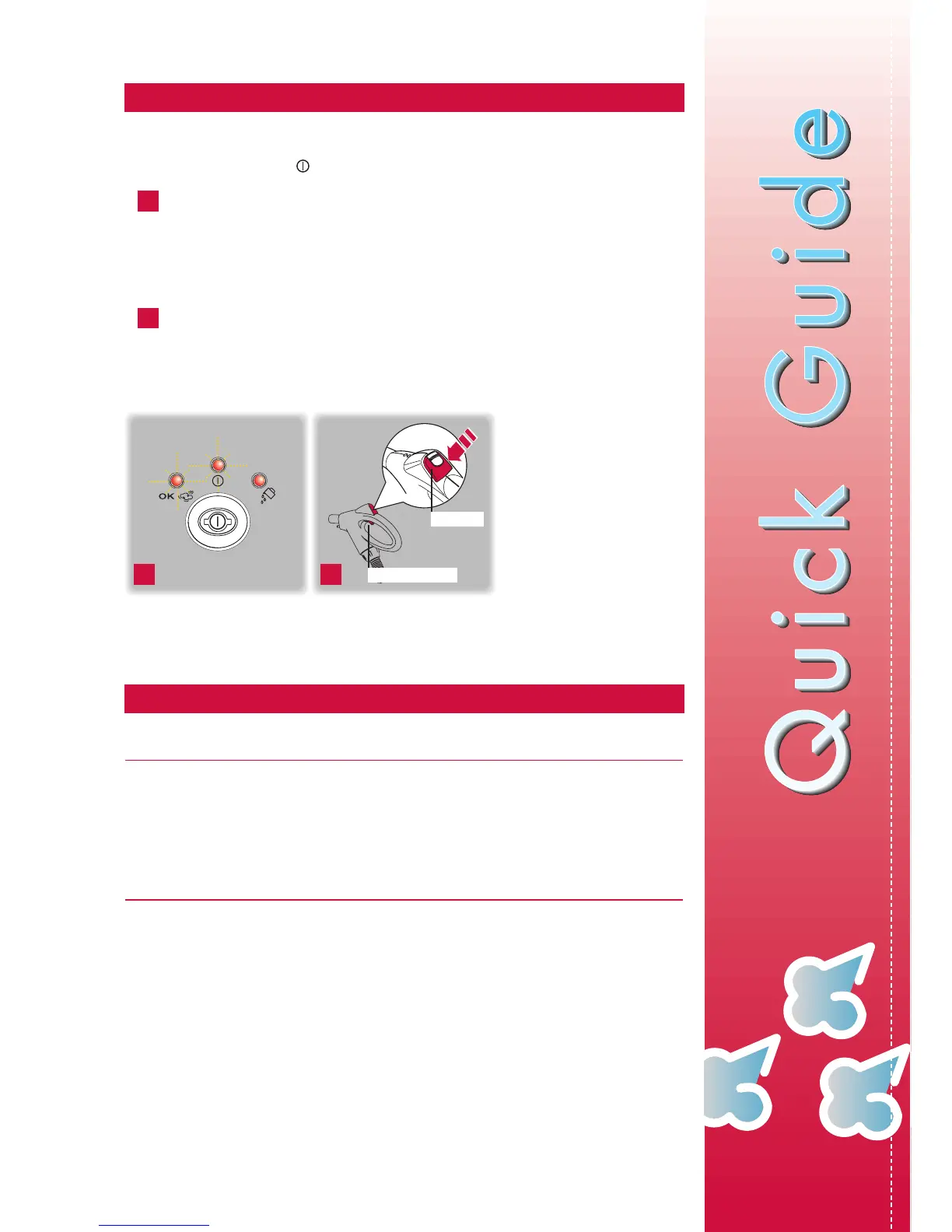
Plug into the mains socket.
Press the "ON/OFF" button.
At this point, the power on indicator light comes on.
When the "OK steam ready" indicator light also comes on, the appliance is ready for
use and in models where present, the needle of the pressure gauge is in the green zone
(about 3-4 bars).This requires about 15 minutes.
During operation, the steam ready indicator light goes on and off.This is part of normal ope-
ration.
To deliver steam, hold the button on the bottom of the hose handgrip down. Release it
to stop delivery. Activate suction by pressing the ON/OFF button. The appliance will
then wash and vacuum clean at the same time. To turn off suction, push the slide inwards.
6 7
ON/OFF
STEAM BUTTON
TIPS FOR CLEANING
Extraction washing technique
The extraction washing technique is as follows:
Aim the steam jet at the surface to be treated using the steam delivery button and at the same
time activate suction using the ON/OFF button on the hose handgrip.
Pass a number of times over the surface to be treated using suction only.The treated surfaces
will be almost completely dry and the dirt will be removed.
Steam cleaning without suction
To use the appliance as a steam cleaner only, proceed as above, but without activating the
suction system. Do not press the suction ON/OFF button on the hose handgrip.
CONGRATULATIONS AND THANK YOU FOR CHOOSING OUR COMPANY.
TO GET THE VERY BEST OUT OF YOUR NEW APPLIANCE IT IS ADVISABLE TO
READ THESE INSTRUCTIONS BEFORE USING THE APPLIANCE.



 To Next Page