5. GPS Positioning
SIM8200EA-M2 is ANT5; SIM8202G-M2 is ANT2; SIM8262E-M2 is ANT3; see the module
hardware manual for details
Connect the passive GPS antenna to the ANT5 of the module, and place the antenna
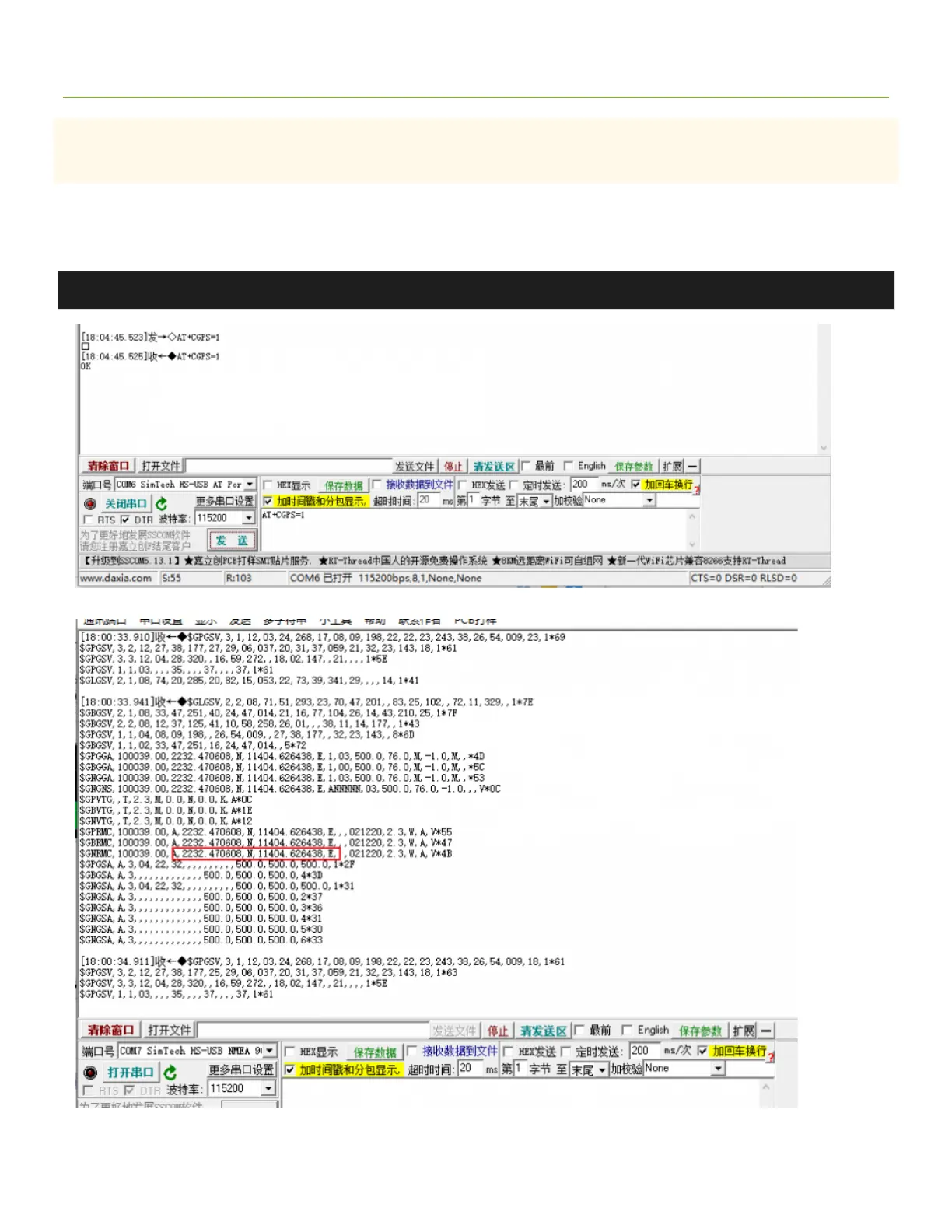
outdoors facing the sky. Then send the AT command to turn on the GPS:
AT+CGPS=1 #Enter
Now open the NEMA port, you can get GPS data:


 To Next Page