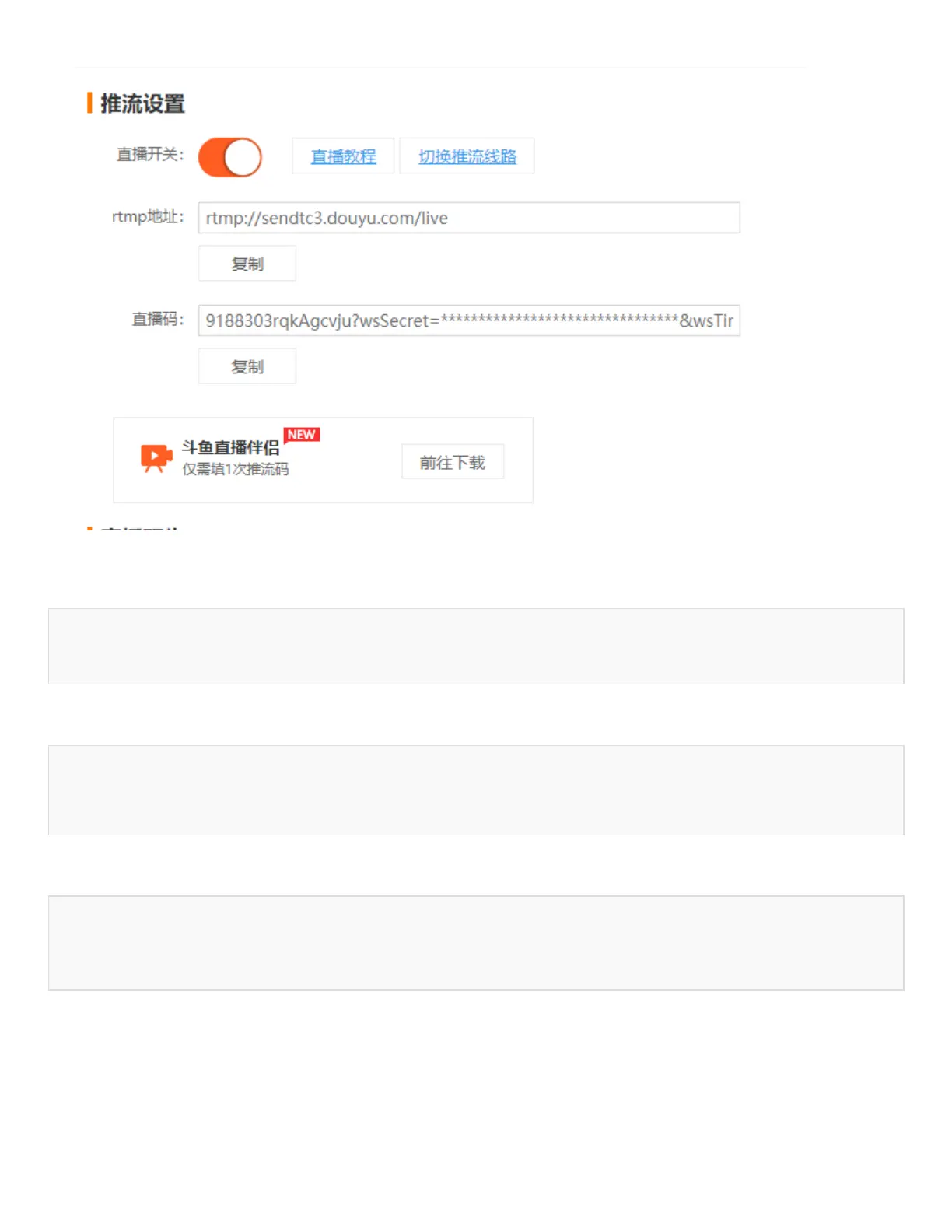
The rtmp address and live code will be obtained, and the Raspberry Pi will execute the
command:
ffmpeg -f video4linux2 -s 640x480 -r 25 -i /dev/video0 -c:v h264_omx -f flv "rtmp
address/live code"
For example: open a terminal first, runs the 5G network:
cd Goonline
sudo ./simcom-cm
and then open another terminal, run the following command:
ffmpeg -f video4linux2 -s 640x480 -r 25 -i /dev/video0 -c:v h264_omx -f flv "rtmp:
//sendtc3.douyu.com/live/9188303rTNGmU7CS?wsSecret=ef762877aae120262eaf23c3f60a28b
f&wsTime=5f59dbf0&wsSeek=off&wm=0&tw=0&roirecognition=0"
rtmp://sendtc3.douyu.com/live is the address, and the next section is the live code. Enter
the room number at this time, you can observe the live broadcast, the delay is about 1-
2S.
How To Use OpenWrt


 To Next Page
 Loading...