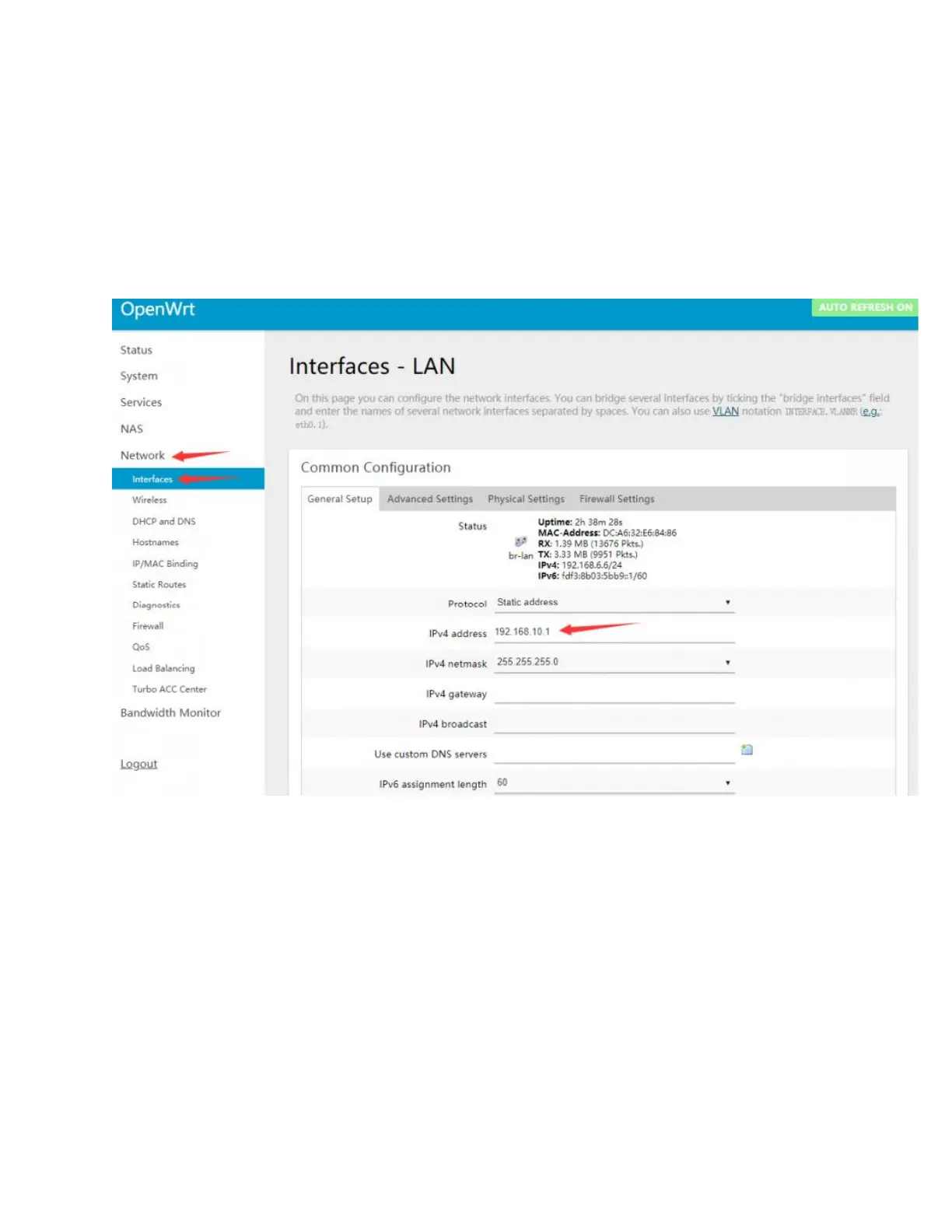
• Modify the IPv4 address of the lan port to a different IP that is not the same
as the lan port IP of other routers in your home. (Many routers default the
lan port IP to 192.168.1.1. If you do not modify the IP of the OpenWrt, it will
easily lead to conflicts and fail to connect to the Internet.)
• If necessary, it is also recommended to disable the IPv6 allocation length.
After the modification is completed, click "Save & Apply", and re-use
192.168.10.1 to access the OpenWrt console.
• In addition, it is recommended to adjust the Firewall setting to connect
the OpenWrt terminal and Web management interface through the local
area.
• Network —>Firewall, change all "reject" to "accept", click "Save & Apply"
after modification, as shown in the picture below:


 To Next Page
 Loading...