• At this point, you can connect to the OpenWrt web management
interface or terminal through the IP address of the lan port or wan
port.
• Check the working status of the driver
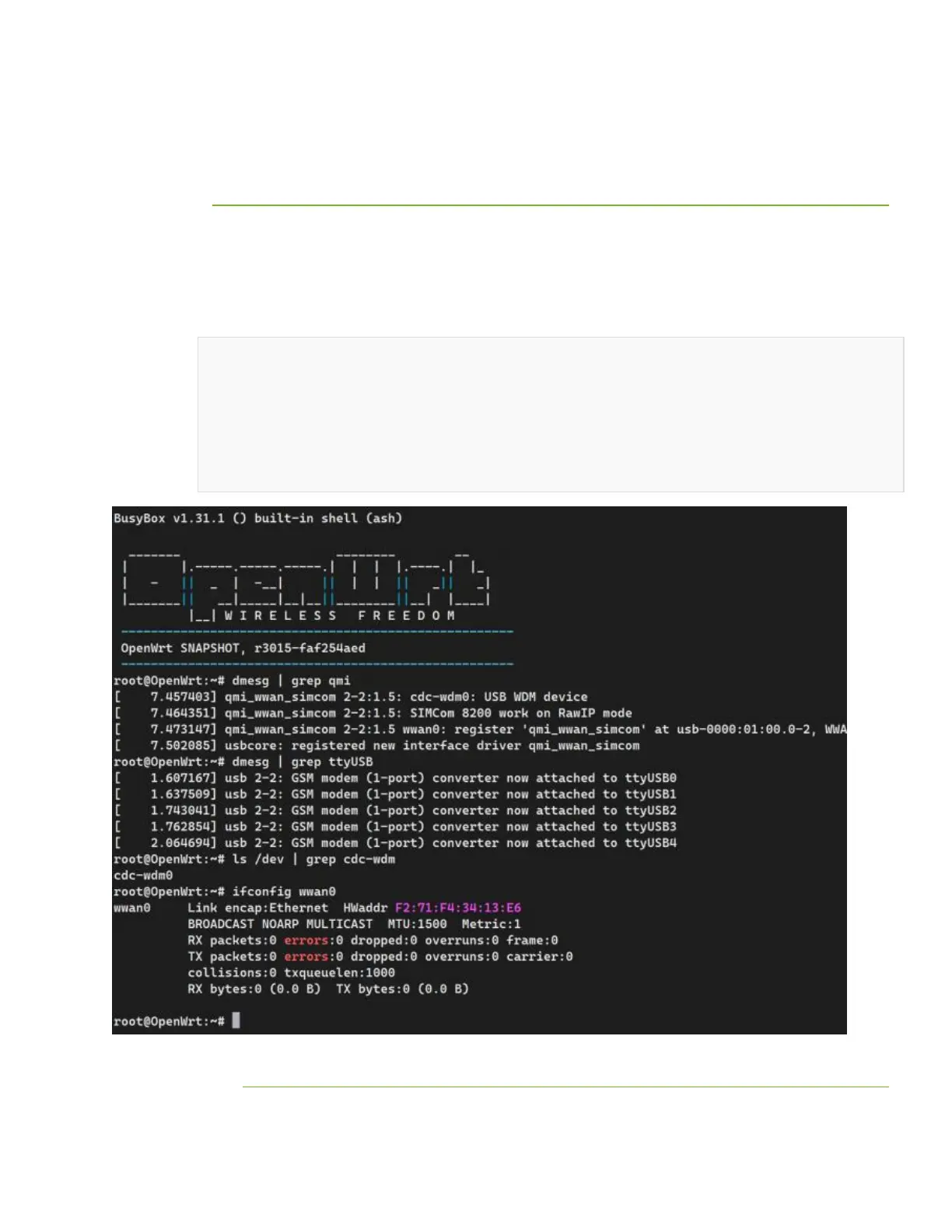
Connect to the OpenWrt terminal via SSH, and run the following
commands to view the qmi driver, USB device, network port registration,
and network port status:
dmesg | grep qmi
dmesg | grep ttyUSB
ls /dev | grep cdc-wdm
ifconfig wwan0
• Configure networking
• Select System -> FileTransfer, select and upload simcom-cm in
the simcom-cm directory of the folder:


 To Next Page