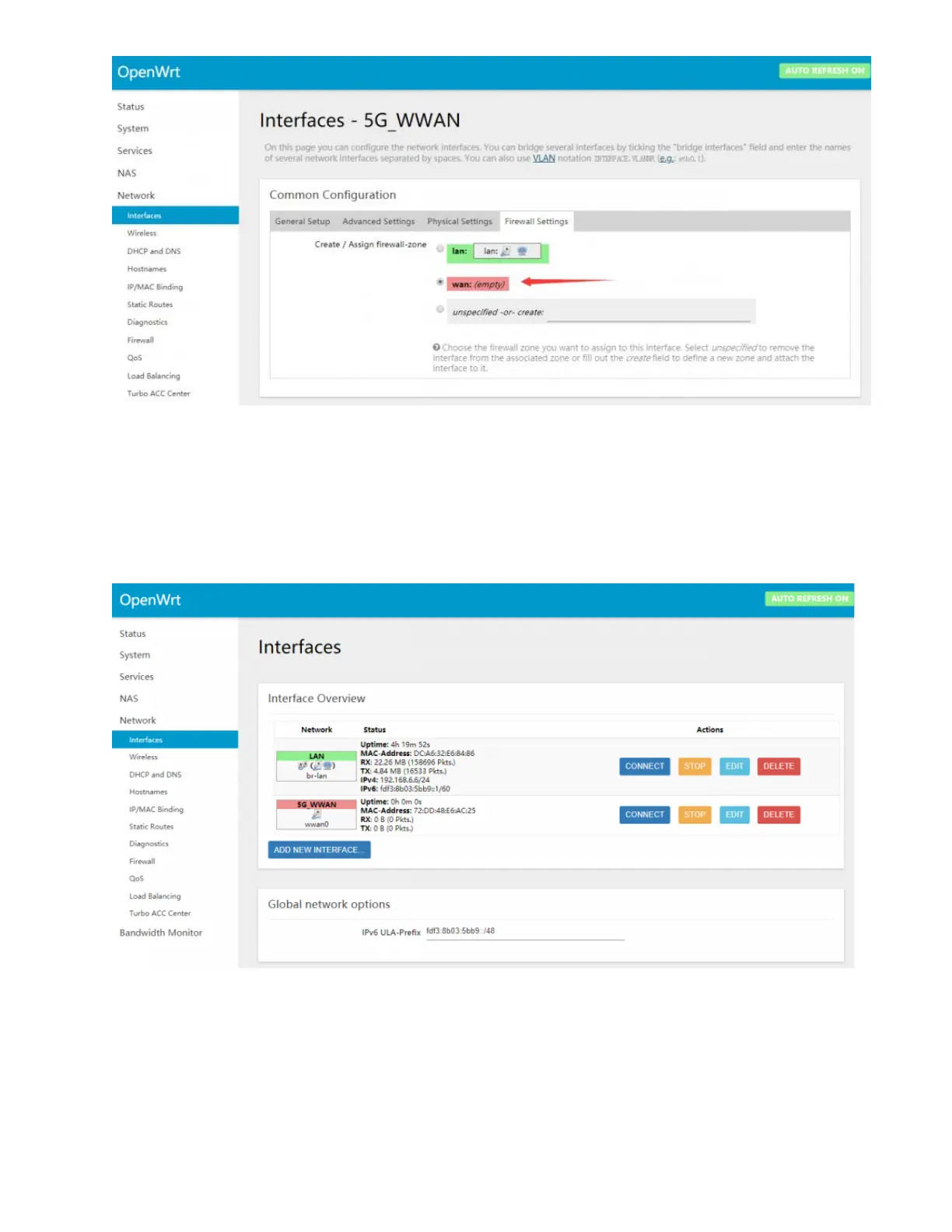
• Click "Save & Apply" to complete the
network port settings, then return to the
interface below, network-interface, you
can see that the network port has been
correctly identified.
Then the other devices can be connected to
the wireless "OpenWrt" or through the
network cable to connect to OpenWrt's own
network port for networking.
5G network speed test


 To Next Page