INTRODUCTION
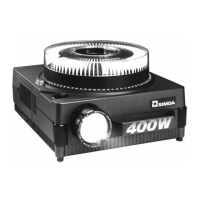
The SIMDA professional slide projectors employs “state of the art” technology.
They are all fitted with a microprocessor. It controls internal functions of the projector and its external connections.
Please read carefully this instruction manual before switching on the projector and take care of recommendations.
Please also read the “Technical Data table” for information about your machine.
A Section
A Section
Common use for all projectors
A1- RECOMMENDATIONS FOR USE
A1-1 Setting up the projector
A1-2 Height adjustment
A1-3 Fixing the projector
A2 - PREPARING THE SHOW
A2-1 The slides
A2-2 The trays
A2-3 Selecting the slides
A2-4 Positioning the tray
A2-5 Taking off the tray
A2-6 The lenses
A2-7 Positioning the lens
A3 - SETTING UP THE PROJECTOR AND SECURITY
A3-1 Mains adaptation
A3-2 Mains fuse
A3-3 In/Out switch
A3-4 Bright/Economy switch
A3-5 Automatic regulation
A3-6 Security
A3-7 Independant and variable ventilation
A4 - SLIDE CHANGING / HOMING / N.S.N.L. AND A.C.D.
A4-1 Device buttons control
A4-2 Control by remote control
A4-3 Rapid Random Access (RARO)
A4-4 Homing control
A4-5 N.S.N.L. and A.C.D.
A5 - FOCUS LENS SETTING
A5-1 Manual focus setting
A5-2 Automatic Autofocus setting
A6 - LAMP CHANGING / LAMP ADJUSTMENT
A6-1 Manual change to Lamp 2
A6-2 Automatic change to Lamp 2, “ALC” system
A6-3 Lamp adjustment
A7 - SETTING OF THE LAMPS AND CONDENSER LENS
A7-1 Setting of the lamps
A7-2 Setting of the condenser lens
A8 - SLIDE CHANGING IN AUTOMATIC CYCLE
A8-1 Programming of the projection time
A8-2 “Timer” function
A8-3 “Auto timer” function
B Section
B Section
Control of projectors by external devices
and selecting modes
B1 - RS232 control
B1-1 SIMDA protocol
B2-2 Connection
B2 - PROJECTION VIA SYNCHRONIZER OR ACCESSORIES
B2-1 “AUDIOVISUAL” plug for synchronizer
B2-2 6 pin DIN plug for accessories
B3 - PROJECTOR MODES AND LED INFORMATION PANEL
B3-1 DRA, K, S, U mode setting
B3-2 LED information panel
C Section
C Section
Advice
C1 - USEFUL ADVICE
C2 - QUESTIONS AND ANSWERS ABOUT SOME PROBLEMS
C3 - USER’S NOTES
CONTENTS


 To Next Page
 Loading...