Air/water inverter chillers and heat pumps with axial fans
8
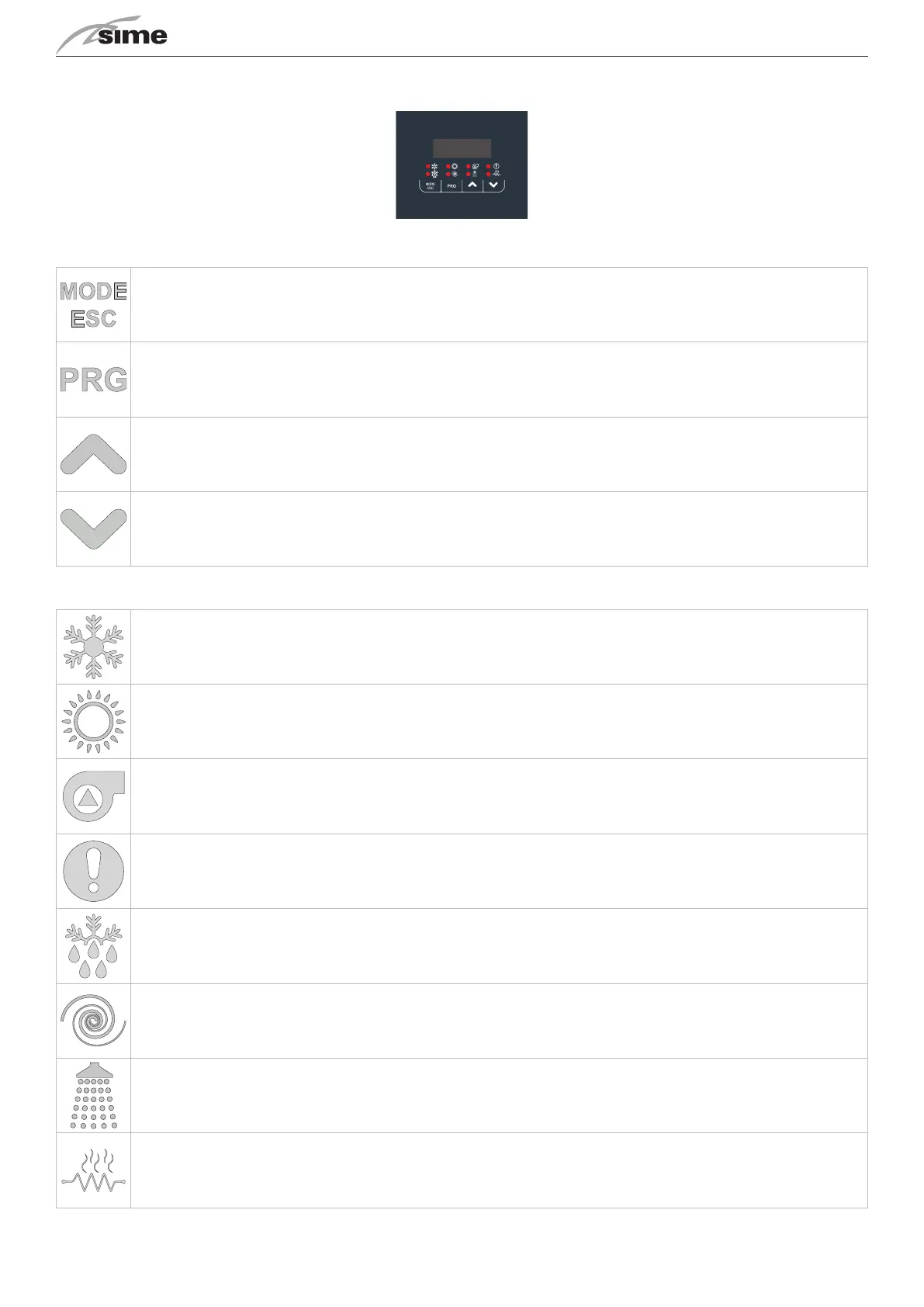
DISPLAY
KEYS
Select the operang mode and manually reset any alarms.
Each me you press the key you have the following sequence:
OFF -> COOL -> COOL+SAN* -> HEAT -> HEAT+SAN* -> OFF (*= if sanitary is enabled)
During parameter seg has the funcon of the back key.
Allows to enter the selected menu to view the sub-folders or to set a value (e.g. summer, winter and domesc set-points or various
parameters).
UP key allows to move to a higher menu or to increase the parameter value.
DOWN key allows to move to a lower menu or to decrease the parameter value.
LED
Cooling mode LED: is on if COOL or COOL+SAN mode is selected.
Heang mode LED: is on if HEAT or HEAT+SAN mode is selected.
Pump Led: is on if the pump is acve.
Alarm Led: is on if there are acve alarms.
Defrosng Led: ashes to enter defrosng mode, it is on when defrosng is in progress.
Compressor Led: ashes if the compressor is starng up, it is on if the compressor is acve.
Sanitary led: ashes if sanitary producon is in progress, it is on if COOL+SAN or HEAT+SAN mode is selected and sanitary produc-
on is not in progress.
Led KA resistors: is on if the anfreeze resistors are acve.


 To Next Page